A WordPress schema plugin is a tool that adds structured data to site pages so search engines can understand content types, entities, and relationships, and display rich results. The right plugin handles JSON-LD output, maps post types to Schema.org types, validates markup, and avoids conflicts with themes or other SEO tools.
This guide covers the foundations of structured data on WordPress, the evaluation criteria that separate solid plugins from bloated ones, head-to-head reviews of the leading free and premium options, a clean installation and validation workflow, the mistakes that quietly disqualify pages from rich results, and site-type fit for publishers, stores, service businesses, and industrial manufacturers.
We start with what a schema plugin actually does and why structured data still matters after Google's rich result deprecations. Then we walk through the selection criteria that count: schema type coverage, validation behavior, performance impact, and integration fit.
Next we compare the best free plugins and the premium tiers, showing where each wins on setup, output quality, and support.
Finally, we cover installation, post type mapping, Rich Results Test validation, Search Console monitoring, and the common duplicate-schema and missing-property errors that break rich eligibility. The closing section matches plugin strengths to specific site types so the choice becomes obvious by the last heading.
What Is a WordPress Schema Plugin and Why Does Structured Data Matter?
A WordPress schema plugin is a tool that generates Schema.org structured data, typically as JSON-LD, and injects it into pages so Google can read entities and relationships. Structured data matters because it unlocks rich results, feeds the Knowledge Graph, and signals E-E-A-T. The subsections below cover ranking impact, essential types, and plugin versus manual tradeoffs.
How Does Schema Markup Influence Search Rankings and Rich Results?
Schema markup influences search rankings indirectly and rich results directly. Google uses structured data to classify page content and display richer SERP features. The practical effect is on click-through rate, not raw position.
Google has also tightened eligibility. HowTo rich results were removed completely and FAQ rich results are limited to authoritative government and health sources, so plugins that still push those types waste effort. Industrial operators should read why use schema on industrial e-commerce sites before committing to any plugin.
Which Schema Types Do Modern WordPress Sites Need Most?
The schema types modern WordPress sites need most are Organization, WebSite, WebPage, BreadcrumbList, Article or BlogPosting, Product, LocalBusiness, and Person. Publishers lean on Article. Stores lean on Product and Offer. Industrial sites lean on Organization, Product, and ItemList.
How Do Schema Plugins Differ from Manual JSON-LD Implementation?
Schema plugins differ from manual JSON-LD implementation by automating the mapping between WordPress post types and Schema.org classes, so authors never touch code. Manual JSON-LD offers absolute control but scales poorly across large catalogs.
Yoast SEO documentation describes this tradeoff plainly: its core approach outputs a @graph object in JSON-LD describing WebPage, WebSite, and Organization, with every piece alterable via a full API. Plugins win on consistency and speed to deploy. Manual JSON-LD wins on custom node control. Most industrial sites combine both, using a plugin for site-wide types and template-level hooks for part-number pages. The step-by-step guide to product schema walks through the hybrid pattern. Selection criteria follow next.
What Criteria Should You Use to Evaluate WordPress Schema Plugins?
The criteria you should use to evaluate WordPress schema plugins are schema type coverage, validation behavior, performance overhead, and integration fit. Each criterion eliminates plugins that demo well but fail at scale. The four subsections below expand on each.
Which Schema.org Types and Sub-Types Must a Plugin Support?
The Schema.org types and sub-types a plugin must support are Organization, WebSite, WebPage, BreadcrumbList, Article or BlogPosting, Product, LocalBusiness, and Review. Nested types such as PostalAddress, Offer, ContactPoint, and AggregateRating are equally important because rich results depend on them.
How Important Are Validation, Error Reporting, and Google Rich Results Compatibility?
Validation, error reporting, and Google Rich Results compatibility are critical because invalid JSON-LD silently blocks eligibility. A strong plugin validates on save, flags missing required properties, and links to Google's testing tools directly.
Since Google deprecated HowTo and restricted FAQ eligibility, a plugin should flag those types as non-eligible rather than encourage authors to keep adding them. Compare this approach to schema markup services manufacturing where validation enforcement is mandatory for technical catalogs.
What Performance, Page Speed, and Core Web Vitals Trade-Offs Should You Weigh?
The performance trade-offs you should weigh are total JavaScript weight, CSS footprint, and whether plugin assets load site-wide or only where needed. Schema JSON-LD itself is small; the drag comes from admin builders that leak into the front end.
Output-only plugins protect LCP and INP. If you already struggle with scores, read how to improve core web vitals industrial sites before adding another plugin.
Which Integrations With SEO Plugins, Page Builders, and WooCommerce Matter?
The integrations that matter are with your existing SEO plugin, page builder, and ecommerce engine, because overlapping output creates duplicate schema errors. Prioritize plugins that detect Yoast, Rank Math, AIOSEO, WooCommerce, Elementor, and Beaver Builder and defer cleanly.
Pick one authority per type. With criteria set, the next section reviews the best free options.
Which Free WordPress Schema Plugins Perform Best in Real-World Tests?
The free WordPress schema plugins that perform best in real-world tests are Schema & Structured Data for WP & AMP, Rank Math, Yoast SEO, and All in One SEO. Each handles the common rich-result-eligible types and exposes sensible defaults. The four subsections below evaluate strengths and common limitations.
Why Is Schema & Structured Data for WP & AMP a Reliable Free Option?
Schema & Structured Data for WP & AMP is a reliable free option because it ships native support for more than 35 schema types at no cost. The plugin also supports AMP output and conditional display rules by post type, taxonomy, or individual post.
Its output leans JSON-LD, which aligns with Google's preferred format. The plugin is stable, updates regularly, and rarely fights other SEO tools if used alone. Configure knowledge base, breadcrumb, and blog posting defaults first; niche types can wait.
What Makes Rank Math's Built-In Schema Generator a Popular Free Choice?
Rank Math's built-in schema generator is a popular free choice because it combines a broad schema type library with a visual schema builder that is usable without code. The template system and post-type defaults let content teams apply consistent markup across large sites.
How Does Yoast SEO Handle Schema Out of the Box?
Yoast SEO handles schema out of the box by generating a complete @graph of connected entities covering WebPage, WebSite, and Organization without any user configuration. The default graph is production-grade and pairs with a SearchAction on the homepage.
Google Search Central recommends limiting SearchAction to the entire domain, with the WebSite object placed on the homepage to surface a sitelinks search box. Yoast handles Article, BreadcrumbList, and Organization well but relies on premium or extensions for Product, Local, and Video depth.
Where Does the All in One SEO Free Schema Module Fall Short?
The All in One SEO free schema module falls short primarily in the depth of Product, LocalBusiness, and custom schema support, which are gated behind Pro. The free tier handles basic Article, Organization, and WebSite types well, but the schema generator and custom JSON-LD editor are premium features.
Teams needing rich Product schema will either upgrade or pair it with a dedicated schema plugin. Premium options reviewed next close these gaps with deeper feature sets.
Which Premium WordPress Schema Plugins Offer the Strongest Feature Sets?
The premium WordPress schema plugins that offer the strongest feature sets are Schema Pro by Brainstorm Force, WP SEO Structured Data Schema Pro, Rank Math Pro, and Yoast Premium, plus niche plugins for reviews, recipes, and events. Each adds depth, field mapping, and support beyond the free tier. The subsections below compare capabilities.
What Does Schema Pro Bring Beyond the Free Alternatives?
Schema Pro automates field mapping from post titles, featured images, authors, and custom fields, then applies templates across post types. It also ships repeatable field mapping for bulk application, so large catalogs and blog archives get consistent markup without per-post edits.
Agencies appreciate the compatibility with Astra, Elementor, and Beaver Builder, which avoids the schema duplication typical of builder-heavy sites. The feature set suits B2B and service businesses more than WooCommerce stores needing advanced Offer variant support. Compare these trade-offs to the schema for industrial components vs finished products pattern before committing.
How Does WP SEO Structured Data Schema Pro Compare on Depth and Support?
WP SEO Structured Data Schema Pro compares favorably on depth because it exposes Google's full required property set per type and supports custom JSON-LD for edge cases. A good premium plugin enforces required fields on save.
WP SEO Structured Data Schema Pro also supports Organization schema with the logo, address, contact info, and business identifiers that Google uses to populate a knowledge panel. Support turnaround is slower than Schema Pro, but the feature depth rewards technical teams.
Why Do Agencies Choose Rank Math Pro or Yoast Premium for Advanced Schema?
Agencies choose Rank Math Pro or Yoast Premium for advanced schema because both extend their free schema frameworks without forcing clients to install a second plugin. Rank Math Pro adds WooCommerce Brand, Video Sitemap, and schema for custom post types at scale, while Yoast Premium adds internal linking suggestions and schema extensions for local and news sites.
The choice between them usually comes down to which tool the content team already knows, because migrating content metadata between them is costly.
What Niche Plugins Handle Reviews, Recipes, Events, and Products Better?
The niche plugins that handle reviews, recipes, events, and products better are WP Recipe Maker, The Events Calendar, WP Review Slider Pro, and Product Schema plugins built around WooCommerce. Each focuses on one vertical and supports the exact Schema.org subtypes Google rewards, such as HowToStep nested inside Recipe and Offer nested inside Product.
Generalist plugins handle these types at a surface level; verticals need the niche plugin's depth for photo arrays, nutrition objects, or ticketing. Use the niche plugin for its domain and let the SEO plugin govern Organization and WebSite. The next section compares all options head to head.
How Do the Top WordPress Schema Plugins Compare Head to Head?
The top WordPress schema plugins compare differently across coverage, setup, performance, debugging, and price. Yoast and Rank Math lead for all-in-one SEO sites; Schema Pro and Schema & Structured Data for WP & AMP lead for dedicated schema control. The five subsections below call the winner on each axis.
Which Plugin Wins on Schema Type Coverage?
The plugin that wins on schema type coverage is Schema & Structured Data for WP & AMP because it natively supports more than 35 schema types from the free tier. Rank Math trails close with 20+ types and an advanced builder.
Which Plugin Wins on Ease of Setup and Interface Clarity?
The plugin that wins on ease of setup and interface clarity is Yoast SEO because its default schema graph is production-grade out of the box with zero user configuration. Rank Math's setup wizard is close and arguably more customizable, but Yoast ships sensible defaults faster.
Which Plugin Wins on Performance, Caching, and Output Size?
The plugin that wins on performance is whichever one integrates its schema into an existing SEO plugin rather than adding a second plugin. Dedicated schema plugins layered on top of SEO plugins double the HTTP payload and admin-bar scripts.
If caching is configured correctly, raw schema weight barely moves Core Web Vitals; the drag comes from plugin admin UI loading site-wide. Teams running large catalogs should also audit their internal linking strategy for large industrial sites because link graphs and schema nodes share the same crawl-budget surface.
Which Plugin Wins on Validation, Debugging, and Error Handling?
The plugin that wins on validation and debugging is Schema Pro because its inbuilt field validation flags required fields at save time and links directly to Google's structured data testing tool. Rank Math Pro offers similar inline validation with its schema builder.
Which Plugin Offers the Best Value at Each Price Tier?
The plugins that offer the best value at each price tier are Schema & Structured Data for WP & AMP at the free tier, Schema Pro for dedicated schema buyers, and Rank Math Pro or Yoast Premium for teams already paying for an SEO suite. The value math is simple: if you are already using Yoast or Rank Math, upgrade to their Pro tiers before adding a second plugin.
Pick one schema source and let everything else defer. The install and validation workflow comes next.
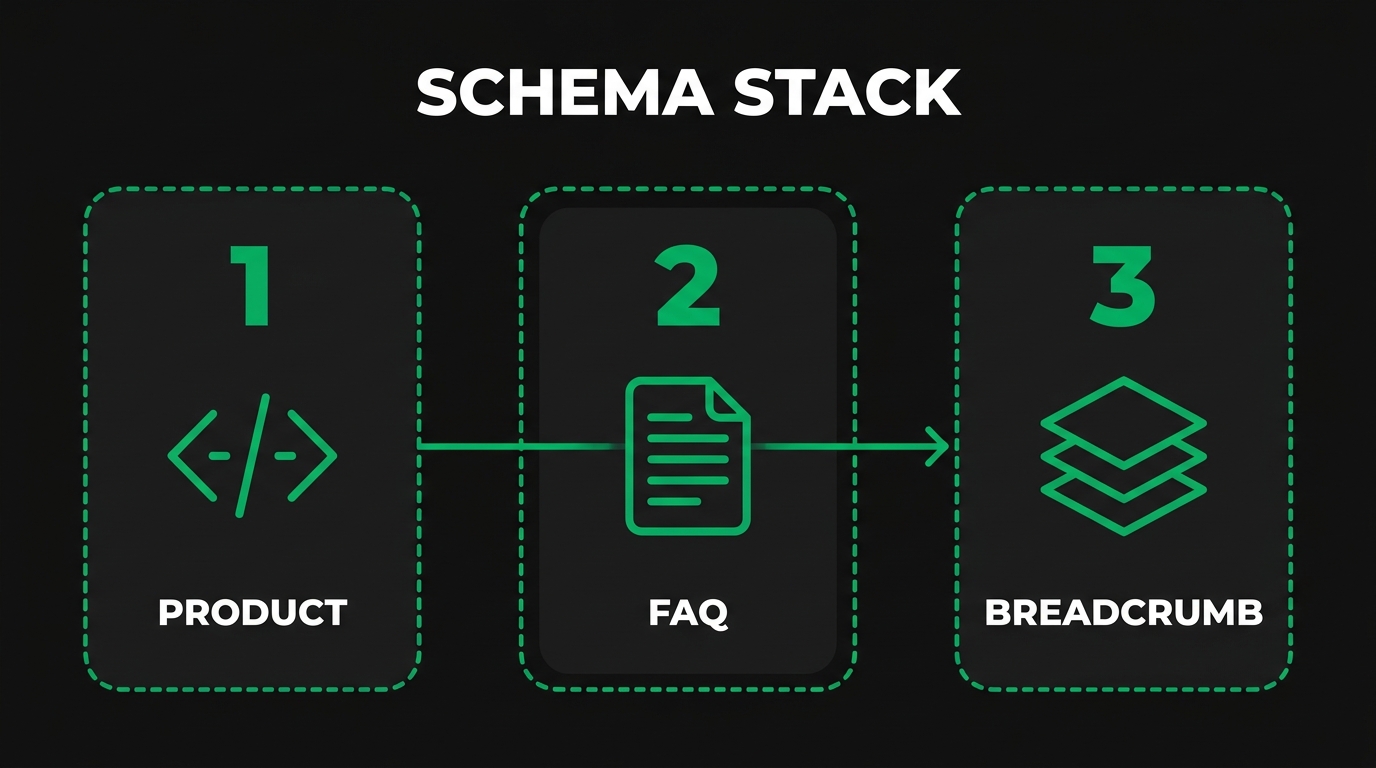
How Do You Install, Configure, and Validate a WordPress Schema Plugin?
Installing, configuring, and validating a WordPress schema plugin means running pre-install checks, activating with sensible defaults, mapping post types to schema properties, testing output, and monitoring Search Console. Done in order, the workflow prevents conflicts and duplicate output. The subsections below walk through each step.
What Pre-Installation Checks Should You Run on Your WordPress Site?
The pre-installation checks you should run on your WordPress site are an audit of existing schema output, a theme review for built-in JSON-LD, and a back-end conflict check against your active SEO plugin. Use View Source or a structured data inspector to find existing `<script type="application/ld+json">` blocks, which indicate theme or plugin output already in place.
Review server-side caching and CDN to confirm neither strips nor caches schema improperly. Pair the pre-install check with robots.txt best practices industrial sites so Googlebot can reach the pages the plugin marks up.
Which Initial Settings Should You Prioritize After Activation?
The initial settings you should prioritize after activation are the Organization (or Person) profile, site logo URL, default content type per post type, and breadcrumb output. Configure these first because they feed every other schema node on the site.
Add sameAs URLs for LinkedIn, YouTube, Wikidata, and Wikipedia if available. Skip niche types like Recipe or Event until you actually use them. Sensible defaults usually outperform aggressive custom configuration for the first two weeks.
How Do You Map Post Types and Custom Fields to Schema Properties?
You map post types and custom fields to schema properties by opening the plugin's schema-per-post-type settings and matching each WordPress field (featured image, excerpt, ACF or custom field) to a Schema.org property.
For ecommerce catalogs, a dedicated walkthrough in the step-by-step guide to product schema shows which product variants, GTINs, and brand fields belong where. Set defaults once, then override per post or per product where specifications differ.
How Do You Test Structured Data With Rich Results Test and Schema Markup Validator?
You test structured data with the Rich Results Test by entering a URL or code snippet and reviewing the detected rich result types, errors, and warnings.
Also run the Schema.org Validator for markup that goes beyond Google-eligible types. Fix every required-property error before a page is published.
How Do You Monitor Schema Errors Inside Google Search Console?
You monitor schema errors inside Google Search Console by opening each Enhancement report (for example, Products, Breadcrumbs, Videos) and reviewing errors, warnings, and valid items grouped by issue type. Request validation after you ship a fix and watch the issue count go to zero.
The next section covers the plugin mistakes that quietly break eligibility.
Which Common Schema Plugin Mistakes Hurt Rankings and Rich Result Eligibility?
The common schema plugin mistakes that hurt rankings and rich result eligibility are duplicate schema blocks, missing required properties, conflicting Organization or WebSite nodes, and stacking multiple plugins that output the same types. Each is fixable once identified. The subsections below cover detection and correction.
Why Do Duplicate Schema Blocks Trigger Search Console Errors?
Duplicate schema blocks trigger Search Console errors because search engines see two or more sets of markup claiming to describe the same entity with potentially contradictory values. Duplicates typically come from a theme plus an SEO plugin plus a dedicated schema plugin, each outputting Organization or Article.
Detect duplicates with View Source or the Rich Results Test and disable the weaker source.
How Do Missing Required Properties Disqualify Pages From Rich Results?
Missing required properties disqualify pages from rich results because Google's documentation treats each type's required set as a gate. If one required field is absent, the page is not eligible for the enhancement.
What Happens When Plugins Output Conflicting Organization or Website Schema?
When plugins output conflicting Organization or WebSite schema, Google often picks one and may ignore knowledge panel details, or it may surface Search Console warnings about mismatched values. Only one Organization node should exist per site, and it should include the sameAs property, a logo URL, and consistent name and URL across pages.
Conflicting WebSite nodes also break the sitelinks search box because the SearchAction cannot be evaluated when URL patterns differ. Pick one authority, usually the primary SEO plugin, and disable Organization output in every other source.
Why Should You Avoid Stacking Multiple Schema Plugins at Once?
You should avoid stacking multiple schema plugins at once because each active plugin produces its own JSON-LD, and WordPress will not merge nodes automatically. The result is duplicate output, conflicting properties, and slower admin pages from competing settings panels.
Choose one: an all-in-one SEO plugin (Yoast, Rank Math, AIOSEO) that handles schema, or a dedicated schema plugin (Schema Pro, Schema & Structured Data for WP & AMP) alongside a minimal SEO plugin. If you need a niche plugin like WP Recipe Maker, scope it to the post types where the niche schema applies and disable the general schema plugin for those same post types. The fit by site type comes next.
Which Schema Plugin Fits Different Website Types Best?
The schema plugin that fits best depends on site type: publishers prioritize Article schema; WooCommerce stores prioritize Product and Offer; local service businesses prioritize LocalBusiness; industrial and B2B manufacturers prioritize Product, Organization, and deep technical specs. The four subsections below match strengths to use cases.
Which Plugin Suits Bloggers and Publishers With Article and FAQ Schema?
The plugin that suits bloggers and publishers best is Yoast SEO or Rank Math because both ship strong default Article, BlogPosting, and BreadcrumbList output without configuration. Either handles the Article fields Google recommends (author, datePublished, dateModified, headline, image) with minimal setup.
Keep one source of truth to avoid duplicate Article nodes.
Which Plugin Suits WooCommerce Stores Needing Product, Offer, and Review Schema?
The plugin that suits WooCommerce stores best is Rank Math Pro or Schema Pro paired with WooCommerce's native schema for core product output. WooCommerce provides most of the base output; the schema plugin fills gaps like Brand, AggregateOffer, and Review, and enforces required fields.
Disable duplicate Product schema from any theme or backup plugin. WP SEO Structured Data Schema Pro is a strong alternative when custom JSON-LD is needed for variant-heavy catalogs.
Which Plugin Suits Local Service Businesses Using LocalBusiness and Service Schema?
The plugin that suits local service businesses best is All in One SEO because its local business schema supports multiple store locations, business opening hours, Google Maps integration, and contact info such as business email, phone, and address, per AIOSEO's official documentation.
Service businesses should pair LocalBusiness with Service schema on each service page so Google connects the business entity to its actual offerings.
Which Plugin Suits Industrial and B2B Manufacturing Sites With Product, Organization, and HowTo Schema?
The plugin that suits industrial and B2B manufacturing sites best is WP SEO Structured Data Schema Pro or Rank Math Pro because both handle deep Product specifications, Organization with sameAs and ContactPoint, and custom JSON-LD for technical fields that generic plugins omit. Industrial catalogs need more than name and price: they need GTIN, brand, material, and certification fields that map to procurement-intent queries.
The difference between marking up a schema for industrial components vs finished products is significant because components often nest inside assemblies as isAccessoryOrSparePartFor, while finished products stand alone as Product. The next section bridges plugin choice to manufacturing-specific strategy.
How Should Industrial Manufacturers Approach WordPress Schema Plugin Selection With Manufacturing SEO Agency?
Industrial manufacturers should approach WordPress schema plugin selection by matching plugin depth to their catalog complexity, certifications, and procurement-intent content, not to general blogging defaults. Manufacturing SEO Agency, a manufacturing-focused seo agency, treats schema as a revenue lever tied to RFQs rather than a generic SEO checklist. The subsections below cover implementation support and the recap of this guide.
Can Manufacturing SEO Agency's Technical SEO Service Implement the Right Schema Stack for Your WordPress Manufacturing Site?
Yes, Manufacturing SEO Agency's technical SEO service can implement the right schema stack for your WordPress manufacturing site. Manufacturing SEO Agency offers manufacturing schema and technical seo remediation that includes schema, crawl health, and page experience tuned for manufacturing intent, alongside content creation by writers who understand AS9100, NADCAP, IATF 16949, and 3-axis versus 5-axis machining. Manufacturing SEO Agency uses Schema.org structured data with Wikipedia sameAs references for entity grounding so the brand and each product appear as recognized entities in Google's Knowledge Graph.
Manufacturing SEO Agency engagements start at $5,000 per month and scale to $15,000 per month for multi-facility enterprise operations, with pricing driven by site size, number of processes covered, and whether the scope includes content, links, or technical SEO. Manufacturing SEO Agency ties every report to RFQs, pipeline value, and closed revenue, so schema work is evaluated on procurement outcomes rather than keyword positions alone.
What Are the Key Takeaways About Choosing the Best WordPress Schema Plugin That We Covered?
The key takeaways about choosing the best WordPress schema plugin are: pick one authoritative schema source, match plugin depth to content type, validate with the Rich Results Test, and monitor Search Console enhancements. Free options like Schema & Structured Data for WP & AMP, Rank Math, Yoast, and AIOSEO cover most sites. Premium tiers from Rank Math Pro, Yoast Premium, Schema Pro, or WP SEO Structured Data Schema Pro add depth for stores, local businesses, and industrial catalogs.
Avoid stacking plugins, remove duplicate Organization and WebSite nodes, and fill every required property Google documents for each rich result type. Manufacturers with complex catalogs should prioritize plugins that expose deep Product and Organization fields and pair schema work with procurement-intent content and technical SEO, which is exactly the scope Manufacturing SEO Agency executes for industrial clients.