Robots.txt best practices for industrial sites are the rules, patterns, and review routines that tell search-engine and AI crawlers which URLs they can access on a manufacturing website, so crawl budget flows to procurement-intent pages instead of filters, spec-sheet folders, or staging paths.
This guide covers the protocol foundations, correct syntax, disallow decisions, an operational workflow, interaction with other technical SEO signals, real-world industrial examples, common mistakes, and how a manufacturing technical SEO audit closes the loop.
We open with what a robots.txt file is, why it matters for large industrial catalogs and spec libraries, and which search engines and AI crawlers actually honor its directives.
Next, we translate the formal specification into a practical syntax reference, with User-agent, Disallow, Allow, and Sitemap directives, formatting rules for maximum compatibility, and the silent syntax errors that break industrial files.
We then shift to manufacturer-specific decisions, including which URL patterns to block, how to treat internal search and faceted navigation, how PDF spec sheets and CAD files behave, and when staging or dev paths belong in the Disallow list.
The operational section covers auditing for crawl waste, mapping crawl priority to RFQ-driving pages, testing changes before production, and monitoring impact in Search Console and server logs.
We close with how robots.txt interacts with meta robots, X-Robots-Tag, sitemaps, and schema, show annotated examples for CNC catalogs, industrial e-commerce, and multi-facility manufacturers, and connect it to a structured technical audit.
What Is a Robots.txt File and Why Does It Matter for Industrial Websites?
A robots.txt file is a plain-text file at the domain root that tells crawlers which URLs to request, and it matters for industrial websites because catalogs and configurator URLs drown crawl budget if ungoverned. Sub-sections cover crawler control, catalog impact, and which crawlers honor it.
How Does a Robots.txt File Control Crawler Access on Manufacturing Sites?
A robots.txt file controls crawler access on manufacturing sites by publishing per-user-agent Allow and Disallow rules at a fixed location. Per RFC 9309, the rules "MUST be accessible in a file named '/robots.txt' (all lowercase) in the top-level path of the service" and the file "MUST be UTF-8 encoded." Compliant crawlers fetch this file before any other URL, then route every request through the matching ruleset. The most specific path match wins, and an Allow rule of equal length overrides a Disallow. A single line like `Disallow: /search/` can prevent millions of useless internal-search permutations from burning Googlebot time, while `Allow: /pdf/datasheets/` keeps procurement documents discoverable.
Why Is Robots.txt Critical for Large Industrial Catalogs and Spec Libraries?
Robots.txt is critical for large industrial catalogs and spec libraries because crawl resources are finite, while the URL surface of a parametric configurator or filterable parts catalog is effectively unbounded. Per Google Search Console Help, the Crawl Stats report "is aimed at advanced users" and "if you have a site with fewer than a thousand pages, you should not need to use this report or worry about this level of crawling detail." Industrial sites routinely exceed that threshold by two orders of magnitude once filters and sort orders are factored in. Without disallows, Googlebot wastes capacity on duplicate filter URLs and skips the high-margin product pages that drive RFQs.
Which Search Engines and Crawlers Honor Robots.txt Directives?
The search engines and crawlers that honor robots.txt directives include all major commercial bots (Googlebot, Bingbot, Yandex, DuckDuckBot, Applebot) plus leading AI crawlers (ClaudeBot, GPTBot, PerplexityBot, CCBot, Applebot-Extended, Google-Extended). Per the Anthropic Privacy Center, "all three of Anthropic's bots honor robots.txt, and all three bots honor robots.txt directives, including the non-standard Crawl-delay extension." Compliance is voluntary, however; OWASP warns that crawlers "can intentionally ignore the Disallow directives," so robots.txt should never replace authentication. Manufacturers reviewing the basics of seo friendly content should treat robots.txt as a crawl-allocation tool, not a security control. Next we cover the file's exact syntax.
What Is the Correct Syntax and Structure of a Robots.txt File?
The correct syntax and structure of a robots.txt file is a UTF-8 plain-text document at the domain root containing one or more groups, each opened by a User-agent line and followed by Disallow, Allow, and optional Sitemap directives. Sub-sections cover directives, formatting, and breaking errors.
What Do User-Agent, Disallow, Allow, and Sitemap Directives Mean?
The User-agent, Disallow, Allow, and Sitemap directives mean, respectively, the crawler the rule targets, paths the crawler must avoid, paths the crawler may fetch, and the absolute URL of the XML sitemap. User-agent accepts a wildcard `*` for "all bots" or a specific token; Disallow blocks a path prefix; Allow narrowly re-permits a sub-path; Sitemap is a URL that is "independent of the user-agent line." The Common Crawl documentation shows the canonical block pattern: "CCBot identifies itself via its UserAgent string as: CCBot/2.0 (https://commoncrawl.org/faq/)" and to block it, site owners add "User-agent: CCBot" with "Disallow: /". The same template scales to every bot identified later in this guide.
How Should You Format a Robots.txt File for Maximum Compatibility?
You should format a robots.txt file for maximum compatibility by using LF or CRLF line endings, one directive per line, lowercase field names, an empty line between groups, and absolute URLs in any Sitemap directive. Per the original Robotstxt.org specification, "the file consists of one or more records separated by one or more blank lines" and "if no Disallow field is present, all URLs are allowed." Keep the file under the 500-kibibyte parsing limit so no rules are silently discarded, and avoid stray BOMs that some parsers reject. For multi-bot sites, repeat shared rules under each user-agent block; Bingbot ignores the wildcard section if a bingbot-specific group exists.
What Are Common Syntax Errors That Break Industrial Robots.txt Files?
The common syntax errors that break industrial robots.txt files include relative-URL Sitemap entries, smart-quote characters from copy-pasted documents, a missing colon between field and value, conflicting groups for the same user-agent, and case-mismatched paths (`/PDF/` vs `/pdf/`). A single accidental `Disallow: /` under `User-agent: *` deindexes the entire site within a crawl cycle. Federal-government implementations such as the public robots.txt at NIST and at the U.S. National Archives and Records Administration show the safer convention: a Sitemap directive plus narrowly-scoped Disallow rules for internal-search and admin paths. Validate every change against the spec before pushing to production, covered next in the operational workflow.
How Should Industrial Manufacturers Decide What to Disallow?
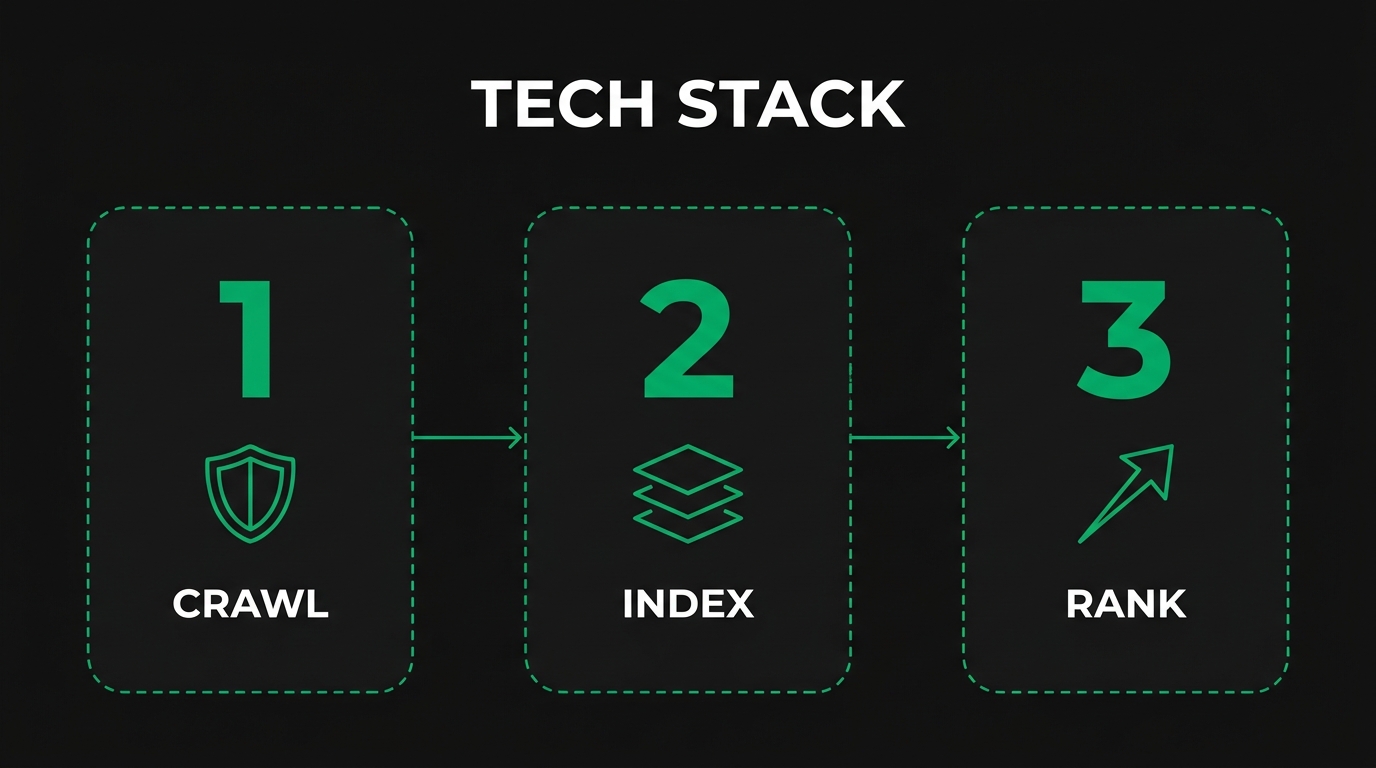
Industrial manufacturers should decide what to Disallow by mapping every URL pattern to a procurement-intent score, then blocking only the patterns that consume crawl budget without contributing RFQ-driving impressions. The sub-sections below cover patterns to block, faceted-navigation policy, PDF and CAD handling, and staging-environment rules.
Which URL Patterns Should Manufacturing Sites Block from Crawling?
The URL patterns that manufacturing sites should block from crawling are internal search results (`/search?`, `/?q=`), session-ID and tracking parameters (`?utm_`, `*&sid=`), printer-friendly views (`/print/`), pagination beyond useful depth, infinite-scroll calendar URLs, login and account paths (`/account/`, `/wishlist/`), and duplicate currency or unit toggles. Examples of authoritative sites such as the public NIST robots.txt show the same pattern of blocking admin endpoints while leaving content paths open. Keep product-detail and category URLs open, because those convert; blocking them, even temporarily, removes them from the index within days. A manufacturer should also leave open all CSS, JavaScript, and image directories so Googlebot can render the page exactly as a human procurement engineer sees it.
Should You Block Internal Search, Faceted Navigation, and Filter Parameters?
Yes, you should block internal search, faceted navigation, and filter parameters when those URLs do not earn unique organic impressions. Per Google Search Central, "the crawlers will typically access a very large number of faceted navigation URLs before the crawlers' processes determine the URLs are in fact useless," and Google recommends to "Return an HTTP 404 status code when a filter combination doesn't return results." Disallow filter-parameter prefixes (`Disallow: /*?material=`), keep one canonical, indexable filter combination open per category, and let `#`-fragment filters run client-side because crawlers ignore fragments.
How Do You Handle PDF Spec Sheets, CAD Files, and Engineering Documents?
You handle PDF spec sheets, CAD files, and engineering documents by leaving high-value, brand-aligned PDFs crawlable while blocking duplicates, draft revisions, and large binaries that waste budget. Per Google Search Central, Google indexes ".pdf, .doc, .docx, .xls, .xlsx, .ppt, .pptx," and OpenOffice formats, with file type determined "primarily through the Content-Type HTTP header." Keep `/datasheets/` and `/installation-guides/` open, block `/cad/` and `/step-files/` if engineers retrieve them only via authenticated download, and add `X-Robots-Tag: noindex` headers to PDFs that should remain reachable but unindexed. Never combine a Disallow with an X-Robots-Tag noindex on the same URL; the noindex header is unreadable behind a Disallow.
When Should You Block Staging, Dev, and Internal Tool URLs?
You should block staging, dev, and internal tool URLs whenever they are publicly resolvable, but Disallow alone is insufficient because OWASP notes that the file itself becomes a roadmap of hidden paths. Pair `Disallow: /staging/` with HTTP basic auth or IP allow-listing on the staging hostname, host staging on a separate subdomain that ships its own `User-agent: * \nDisallow: /` file, and remove all internal tool URLs from external DNS where possible. The same logic applies to acceptance environments, marketing-preview URLs, and demo CMS instances. Treat robots.txt as a politeness layer above real authentication. Next we translate these rules into a step-by-step operational workflow.
What Are the Step-by-Step Robots.txt Best Practices for Manufacturing Sites?
The step-by-step robots.txt best practices for manufacturing sites are: audit the existing file, map crawl priority to RFQ-driving pages, test changes in a sandbox, deploy in stages, and monitor in Search Console plus server logs. The sub-sections below walk through each step.
How Do You Audit Your Existing Robots.txt for Crawl Waste?
You audit your existing robots.txt for crawl waste by exporting 90 days of server logs, grouping requests by user-agent and URL pattern, and counting how many bot requests hit pages that never rank or convert. Per Apple Support, "if robots instructions don't mention Applebot but mention Googlebot, the Apple robot will follow Googlebot instructions," so the audit must cover bots that piggyback on existing groups. Flag any URL pattern that receives more than 1% of crawl traffic but zero clicks; that pattern is a Disallow candidate. The companion guide on how to improve core web vitals industrial sites shows how render-time and crawl-efficiency reinforce each other.
How Do You Map Crawl Priorities to Procurement-Intent Pages?
You map crawl priorities to procurement-intent pages by ranking every URL template by RFQ value, then adjusting internal-link depth and Sitemap inclusion so high-value pages sit closer to the homepage. Rank product-detail and capability pages first, technical-content pages second, blog and PR pages third, and filter or session URLs last. Disallow the bottom tier and surface the top tier in the XML sitemap. A complementary internal linking strategy for large industrial sites reinforces these priorities by funneling internal PageRank to the same procurement-intent URLs, so crawl budget and link equity push in one direction.
How Do You Test Robots.txt Changes Before Deploying to Production?
You test robots.txt changes before deploying to production by validating against the formal specification in a staging environment, checking each candidate URL with both the Search Console URL inspection tool and an offline parser, and diffing the result set before pushing the file live. Treat the file as code: keep it under version control, require code review on every change, and ship it through your CI pipeline. The supporting basics of technical seo for engineers workflow describes the same review discipline applied to other crawl-control surfaces. Never edit production robots.txt directly inside a CMS; one stray slash can deindex an entire catalog overnight.
How Do You Monitor Robots.txt Impact in Search Console and Server Logs?
You monitor robots.txt impact in Search Console and server logs by tracking three signals weekly: the Crawl Stats "Total crawl requests" trend, the Pages report's "Blocked by robots.txt" count, and server-log bot-request distribution by URL pattern. Per the Bing Webmaster blog, to verify Bingbot, perform a "reverse DNS lookup using the IP address from the logs to verify that it resolves to a name that end with search.msn.com," then a forward DNS lookup to confirm it matches. Apply the same reverse-DNS check to Googlebot, Applebot, and ClaudeBot before drawing conclusions from log volume. Next we examine how robots.txt interacts with other technical SEO signals.
How Does Robots.txt Interact with Other Technical SEO Signals?
Robots.txt interacts with other technical SEO signals as the upstream gate: meta robots, X-Robots-Tag, sitemaps, and schema all need the URL crawlable before their instructions can be read. The sub-sections cover noindex contrast, sitemap referencing, and schema discovery.
How Is Robots.txt Different from Meta Robots Noindex and X-Robots-Tag?
Robots.txt is different from meta robots noindex and X-Robots-Tag in that robots.txt blocks the crawl request itself, while noindex (in an HTML meta tag or the X-Robots-Tag HTTP header) lets the crawler fetch the URL but tells it not to display the URL in search results. Per Google Search Central, "if a resource is blocked from crawling through a robots.txt file, then any information about indexing or serving rules specified using `<meta name='robots'>` or the X-Robots-Tag HTTP header will not be detected and will therefore be ignored." The practical rule for manufacturers: use Disallow for crawl-budget waste, use noindex for thin pages that must remain reachable.
How Should Robots.txt Reference XML Sitemaps for Industrial Catalogs?
Robots.txt should reference XML sitemaps for industrial catalogs with one absolute Sitemap directive per sitemap (or one per sitemap-index file), placed at the bottom of the file independent of any User-agent group. Each sitemap "must have no more than 50,000 URLs and must be no larger than 50MB (52,428,800 bytes)" and "must be UTF-8 encoded," per Sitemaps.org. Large multi-brand manufacturers typically split sitemaps by content type (`/sitemaps/products.xml`, `/sitemaps/datasheets.xml`, `/sitemaps/blog.xml`) and reference the index file. The Sitemap directive does not override Disallow rules; if a URL is both listed in a sitemap and blocked by robots.txt, the block wins.
How Does Robots.txt Affect Schema Markup Discovery and Indexing?
Robots.txt affects schema markup discovery and indexing by gating whether the page that carries the JSON-LD or microdata gets crawled at all; if the URL is Disallowed, none of its Product, Organization, or FAQPage schema reaches Google's structured-data systems. For a manufacturer reviewing why use schema on industrial e-commerce sites, every schema-bearing URL must remain fetchable by Googlebot. The same applies to best schema markup plugins for industrial sites; a plugin can only emit markup on crawl-allowed pages. Audit Disallow patterns whenever schema coverage drops in Search Console. Next we look at concrete robots.txt examples.
What Are Real Examples of Robots.txt for Industrial Site Architectures?
The real examples of robots.txt for industrial site architectures fall into three patterns: a CNC machining catalog with deep filter trees, an industrial e-commerce store with cart and account paths, and a multi-facility manufacturer with locale and microsite splits. The sub-sections give annotated templates for each.
What Does a Robots.txt File Look Like for a CNC Machining Catalog?
A robots.txt file for a CNC machining catalog looks like a short, well-commented document that opens up the public catalog while blocking filter parameters, internal search, and PDF revisions. A representative template:
``` User-agent: Disallow: /search Disallow: /?material= Disallow: /?finish= Disallow: /?sort= Disallow: /pdf/drafts/ Allow: /pdf/datasheets/
User-agent: GPTBot Disallow: /
Sitemap: https://example.com/sitemaps/products.xml Sitemap: https://example.com/sitemaps/capabilities.xml ```
The wildcard group covers all compliant crawlers, the GPTBot block opts out of model training, and the two Sitemap directives surface the catalog and capability pages. Keep CSS and JS directories open so Googlebot can render machining-spec tables.
What Does a Robots.txt File Look Like for an Industrial E-commerce Store?
A robots.txt file for an industrial e-commerce store looks like a layered template that protects account, cart, and checkout paths while keeping product, category, and educational content fully crawlable. A representative template:
``` User-agent: Disallow: /cart Disallow: /checkout Disallow: /account Disallow: /wishlist Disallow: /?add-to-cart= Disallow: /*?orderby= Allow: /products/ Allow: /categories/
User-agent: CCBot Disallow: /
Sitemap: https://example.com/sitemap_index.xml ```
Disallow `/cart` and `/checkout` because those URLs change per session and convert poorly in search; block CCBot if you do not want your product copy ingested into Common Crawl's open dataset, which feeds many AI training corpora. Allow product and category paths explicitly to override broader patterns.
What Does a Robots.txt File Look Like for a Multi-Facility Manufacturer?
A robots.txt file for a multi-facility manufacturer looks like a single root file plus per-subdomain files that each declare their own ruleset, because robots.txt scope is host-level. Use one file at `https://www.example.com/robots.txt` for the corporate site and a separate file at each facility subdomain (`atlanta.example.com/robots.txt`, `toronto.example.com/robots.txt`). A representative root-domain template:
``` User-agent: * Disallow: /private/ Disallow: /portal/ Disallow: /supplier-login Allow: /locations/ Allow: /capabilities/
Sitemap: https://www.example.com/sitemap-locations.xml Sitemap: https://www.example.com/sitemap-capabilities.xml ```
Per-locale subdomains repeat the relevant disallows and add their own Sitemap. Never assume the root robots.txt governs subdomains; each host fetches and obeys only its own file. Next we cover the mistakes that even experienced manufacturing teams make.
What Mistakes Should Industrial Sites Avoid in Their Robots.txt File?
The mistakes that industrial sites should avoid in their robots.txt file are blocking render-critical resources, accidental site-wide Disallow, wildcard patterns that catch unintended URLs, mismatched trailing slashes, and treating the file as a security control. The sub-sections walk through the three highest-impact mistakes.
Why Should You Never Block CSS, JavaScript, or Image Directories?
You should never block CSS, JavaScript, or image directories because Googlebot needs those assets to render the page exactly as a procurement engineer sees it; without them, Google sees a broken layout and may downgrade rankings. Modern industrial product pages rely on JS-rendered configurators, spec tables, and lazy-loaded images, all requiring `/assets/`, `/static/`, `/cdn/`, and `/wp-content/uploads/` paths to be crawl-allowed. The IEEE/WIC/ACM study "The Ethicality of Web Crawlers" found that "many still consistently violate or misinterpret certain robots.txt rules," so over-broad blocking compounds rendering risk. Open all asset directories and rely on noindex headers for any asset that should stay out of search.
What Happens If You Accidentally Disallow the Entire Site?
If you accidentally Disallow the entire site, Googlebot stops fetching new and updated URLs within hours, the index begins shedding pages within days, and organic traffic typically drops sharply within two to four weeks. The mistake usually appears as a single line, `Disallow: /` under `User-agent: *`, often left over from a staging template. Recovery requires removing the line, requesting validation in the Search Console robots.txt report, and submitting URLs through URL Inspection. Manufacturers should add an automated test in their deployment pipeline that fails the build whenever the production robots.txt contains a bare `Disallow: /` under a wildcard user-agent, because no manual review reliably catches this.
How Do Wildcards and Trailing Slashes Cause Unintended Blocking?
Wildcards and trailing slashes cause unintended blocking because the `` character matches any sequence, the `$` character anchors the end of a URL, and a path with a trailing slash matches a different set of URLs than the same path without one. `Disallow: /products` blocks `/products`, `/products/`, `/products-archive`, and `/products.pdf`, while `Disallow: /products/` blocks only paths that begin with `/products/`. `Disallow: /.pdf$` blocks every PDF, which is rarely the intent for a manufacturer that wants datasheets indexed. Always test wildcard rules against representative URLs before deployment and prefer explicit prefixes over broad globs. Next we connect every recommendation to a structured technical audit.
How Should You Approach Robots.txt Optimization with a Manufacturing Technical SEO Audit?
You should approach robots.txt optimization with a manufacturing technical SEO audit by treating the file as one of several crawl-control surfaces and reviewing them together. Manufacturing SEO Agency offers a structured manufacturing technical seo audit for this work.
Can a Manufacturing Technical SEO Audit Resolve Crawl Budget Waste on Industrial Sites?
Yes, a manufacturing technical SEO audit can resolve crawl budget waste on industrial sites by quantifying where Googlebot, Bingbot, and AI crawlers spend their time, identifying URL patterns that produce zero organic value, and recommending targeted Disallow, noindex, and sitemap changes that reroute crawl capacity to procurement-intent pages. For readers new to the discipline, what is industrial seo explains how RFQ-driven SEO differs from generic B2C SEO. Manufacturing SEO Agency runs this audit against server logs and Search Console; the deliverable is a prioritized fix list tied to revenue. As a manufacturing-focused seo agency, Manufacturing SEO Agency calibrates recommendations to catalog scale, certification queries, and procurement workflows.
What Are the Key Takeaways About Robots.txt Best Practices for Industrial Sites We Covered?
The key takeaways about robots.txt best practices for industrial sites we covered are: keep the file UTF-8 encoded at the domain root and under 500 KiB; block internal search, faceted-filter parameters, and staging paths but never CSS, JS, or render-critical assets; pair Disallow with noindex correctly, never both on the same URL; reference XML sitemaps with absolute URLs; declare per-bot rules for AI crawlers when training opt-out matters; verify Bingbot and Googlebot via reverse DNS before drawing conclusions from logs; and review the file as part of a continuous technical audit. Treat robots.txt as the upstream gate for every other crawl-control signal on a manufacturing site.