
Improving Core Web Vitals for industrial sites means tuning Largest Contentful Paint, Interaction to Next Paint, and Cumulative Layout Shift so engineers and buyers can browse heavy catalogs, configurators, and spec sheets without friction. Manufacturing websites carry hi-resolution machinery photos, downloadable PDFs, CAD assets, and JavaScript-heavy quote forms, which makes page experience optimization both harder and more valuable than on a typical content site.
This guide covers metric foundations, measurement workflows, per-vital fixes for LCP, INP, and CLS, infrastructure choices, image and video handling, mobile experience, vendor selection, common mistakes, and a long-term performance program.
We start with the definition of Core Web Vitals, then explain why page experience changes industrial buyer behavior and how it factors into Google rankings for manufacturers.
We walk through measurement using PageSpeed Insights, Lighthouse, the Chrome User Experience Report, and Search Console, with guidance on reading lab data versus field data on industrial pages.
We dedicate full sections to LCP on machinery hero images, INP on configurators and quote forms, and CLS caused by web fonts, ads, and late-loading banners on catalog templates.
We then move into infrastructure: hosting, CDN configuration for PDF spec sheets and CAD files, caching rules, and serving large technical documents efficiently.
We address mobile performance for engineers researching on smartphones, vendor selections across WordPress, headless, and custom stacks, common mistakes that sink manufacturing sites, and the long-term workflow that ties page experience to RFQ pipeline outcomes.
What Are Core Web Vitals and Why Do They Matter for Manufacturing Websites?
Core Web Vitals are Google's three real-user metrics that grade loading, interactivity, and visual stability on a page. They matter for manufacturing websites because engineers and procurement teams abandon slow, unstable spec pages, and Google uses these signals when ranking pages with similar content quality.
What Metrics Make Up Core Web Vitals Today?
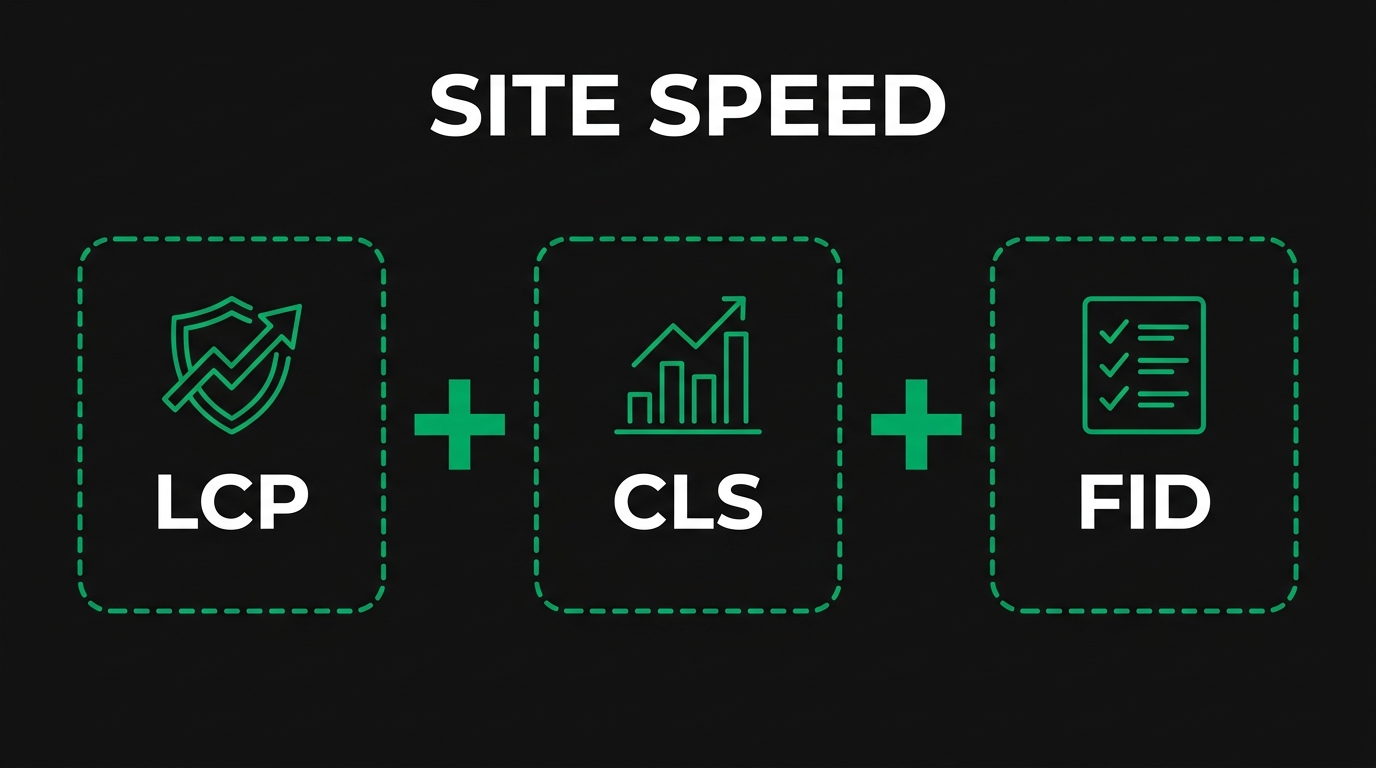
The metrics that make up Core Web Vitals today are Largest Contentful Paint (LCP), Interaction to Next Paint (INP), and Cumulative Layout Shift (CLS). LCP grades loading speed, INP grades interactivity, and CLS grades visual stability. The Chrome User Experience Report supplies the field data for all three.
INP exposes performance gaps that FID hid, especially on JavaScript-heavy industrial configurators.
Why Does Page Experience Affect Industrial Buyer Decisions?
Page experience affects industrial buyer decisions because engineers and purchasing managers evaluate supplier credibility partly through site responsiveness. A laggy configurator or shifting spec sheet signals operational sloppiness, which is risky when the buyer is committing to a long-term supply relationship.
How Do Core Web Vitals Influence Google Rankings for Manufacturers?
Core Web Vitals influence Google rankings for manufacturers as one input inside a broader page-experience assessment, not as an isolated boost.
In practice, when two manufacturer pages cover the same procurement query with similar depth, the faster, more stable page often wins the click.
What Counts as a Passing Score for Each Vital?
A passing score for each vital is LCP at 2.5 seconds or less, INP at 200 milliseconds or less, and CLS at 0.1 or less, measured at the 75th percentile of real user visits over a 28-day window. Failing values are LCP above 4 seconds, INP above 500 milliseconds, and CLS above 0.25.
Manufacturers should benchmark mobile first because that is where most pages fall short.
How Do You Measure Core Web Vitals on an Industrial Website?
You measure Core Web Vitals on an industrial website by combining synthetic lab tools with real-user field data from Chrome. The four sub-questions below explain which tools to use, how to read the PageSpeed Insights report, the lab versus field distinction, and the Search Console workflow.
Which Tools Should You Use to Audit Manufacturing Site Performance?
The tools you should use to audit manufacturing site performance are PageSpeed Insights, Lighthouse, the Chrome User Experience Report (CrUX), Search Console's Core Web Vitals report, and a real-user monitoring (RUM) tool on the site itself. PageSpeed Insights returns both lab and field numbers in one panel.
Pair these with WebPageTest for filmstrip analysis on slow product detail pages.
How Do You Read a PageSpeed Insights Report for an Industrial Page?
You read a PageSpeed Insights report for an industrial page by checking the field data panel first, then drilling into the lab opportunities. Confirm whether LCP, INP, and CLS each show "Good" at the 75th percentile, then open the diagnostics to see which images, scripts, or fonts are blocking.
What Is the Difference Between Lab Data and Field Data?
The difference between lab data and field data is the conditions under which each is captured.
Lab data is reproducible and useful for debugging, but it does not reflect the network variance an engineer hits from a plant-floor LTE connection. Always trust field data when prioritizing fixes, because it represents the conditions Google scores.
How Do You Pull Core Web Vitals From Google Search Console?
You pull Core Web Vitals from Google Search Console by opening the Experience section, selecting the Core Web Vitals report, and reviewing the Mobile and Desktop tabs. Each tab groups URLs into Good, Needs Improvement, and Poor based on CrUX field data over the last 28 days. Click any group to see the issue type and a sample URL list, then export and prioritize fixes by traffic value. Pair this with the Core Web Vitals report's URL inspection to confirm fixes have propagated.
How Do You Improve Largest Contentful Paint on Industrial Pages?
You improve Largest Contentful Paint on industrial pages by reducing server response time, preloading the hero element, compressing machinery photos into modern formats, and removing render-blocking resources. The five sub-questions below cover each LCP lever for manufacturing templates.
What Causes Slow LCP on Manufacturing Product Pages?
Slow LCP on manufacturing product pages is caused by oversized hero images of machinery, slow Time to First Byte from origin servers in a single region, render-blocking CSS, and late-discovered LCP candidates inside JavaScript carousels. Manufacturing CMS templates often ship a 4 MB photo of a CNC cell where a 200 KB AVIF would render identically.
Treat the hero image and the TTFB as the two highest-leverage fixes.
How Should You Optimize Hero Images of Machinery and Parts?
You should optimize hero images of machinery and parts by exporting at the actual rendered dimensions, compressing into AVIF or WebP, adding `width` and `height` attributes, and using `fetchpriority="high"` on the LCP candidate. Skip lazy-loading on the hero.
Why Should You Preload Above-the-Fold Resources?
You should preload above-the-fold resources because the browser's preload scanner often discovers the LCP image too late when it sits inside a JavaScript-driven slider or background CSS. A `<link rel="preload" as="image" fetchpriority="high">` hint tells the browser to start the request immediately.
Preloading the hero image is the cheapest way to shrink that delay window.
How Does Server Response Time Affect LCP for Industrial Sites?
Server response time affects LCP for industrial sites because Time to First Byte typically consumes about 40 percent of the total LCP budget, leaving little room for the hero image to render. A sluggish origin behind a heavy WordPress catalog stack can push TTFB past 1.5 seconds before any pixel paints.
Cache the HTML at the edge, upgrade PHP and database engines, and place a CDN in front of the origin to bring TTFB under 0.5 seconds.
What Image Formats Work Best for Manufacturing Photography?
The image formats that work best for manufacturing photography are AVIF for hero photos with rich tonal range, WebP for general catalog images, and SVG for logos and line drawings.
WebP keeps broader Safari fallback coverage and remains a safe default. Avoid GIF entirely for product animations; an MP4 or AVIF sequence delivers the same loop at a fraction of the bytes. Standardize the export pipeline so editors do not have to think about format.
How Do You Reduce Interaction to Next Paint on Industrial Sites?
You reduce Interaction to Next Paint on industrial sites by breaking up long JavaScript tasks, deferring third-party tags, and slimming down event handlers on configurators and quote forms. The four sub-questions below explain each INP lever in the context of manufacturing templates.
What Causes High INP on Configurator and Quote Request Pages?
High INP on configurator and quote request pages is caused by long JavaScript tasks that block the main thread when a buyer clicks a dropdown or submits a form.
Configurators that recompute pricing on every keystroke commonly run 300 ms tasks. INP captures these because it observes "the latency of all click, tap, and keyboard interactions," not just the first input the way FID did.
How Do You Break Up Long JavaScript Tasks on Catalog Pages?
You break up long JavaScript tasks on catalog pages by yielding to the main thread between work units, using `scheduler.yield()` or `requestIdleCallback`, and chunking heavy data filtering into batches.
Why Should You Defer Third-Party Scripts on Manufacturing Sites?
You should defer third-party scripts on manufacturing sites because chat widgets, marketing pixels, and analytics tags collectively monopolize the main thread and starve user interactions.
Load the chat widget after `Window Loaded`, defer the heatmap script, and audit Google Tag Manager containers quarterly. A typical manufacturer can drop INP by 100 ms by deferring three non-essential tags.
How Do You Optimize Event Handlers for Filter and Spec-Sheet Forms?
You optimize event handlers for filter and spec-sheet forms by debouncing input handlers, reducing work inside click callbacks, and rendering DOM updates with `requestAnimationFrame`. Replace synchronous validation that runs on every keystroke with a debounced 200 ms check. Move expensive layout calculations off the click handler and into a deferred task. Use event delegation on a single parent rather than attaching individual listeners to every filter chip. The goal is to keep the handler under 50 ms so it never registers as a long task.
How Do You Fix Cumulative Layout Shift on Industrial Pages?
You fix Cumulative Layout Shift on industrial pages by reserving space for images, videos, and embeds, sizing web fonts with metric overrides, and pinning late-loading banners. The four sub-questions below cover each CLS lever for catalog and product templates.
What Causes Layout Shifts on Manufacturing Product Detail Pages?
Layout shifts on manufacturing product detail pages are caused by images without dimensions, late-loading specification tables, ad slots without reserved height, and web font swaps that resize body text.
Audit each template once and the same fix usually clears thousands of pages.
How Do You Reserve Space for Images, Videos, and Iframes?
You reserve space for images, videos, and iframes by setting explicit `width` and `height` attributes on every media element so the browser can compute the aspect ratio before bytes arrive.
For iframe embeds, wrap them in a sized container with `aspect-ratio` CSS.
Why Do Web Fonts Shift Layouts on Industrial Catalog Pages?
Web fonts shift layouts on industrial catalog pages because the browser first renders fallback metrics, then reflows when the custom font arrives.
Combine `font-display: swap` with `size-adjust`, `ascent-override`, and `descent-override` so the fallback occupies the same vertical space as the web font. Preload the critical weight to cut the swap window further.
How Do You Stop Late-Loading Banners From Breaking the Layout?
You stop late-loading banners from breaking the layout by reserving the banner slot with `min-height` CSS at the exact dimensions the banner will fill, then injecting the content into that pre-sized container. Cookie banners, promotional bars, and trust badges are common offenders on industrial sites. Render them server-side when possible. If the banner is conditional (such as a region-specific compliance notice), reserve the maximum height and let it collapse rather than expand.

How Do You Optimize Server and Hosting for Heavy Industrial Catalogs?
You optimize server and hosting for heavy industrial catalogs by choosing a hosting tier that matches catalog size, fronting the origin with a CDN, configuring aggressive cache rules for static assets, and compressing PDF and CAD downloads. The four sub-questions below cover each infrastructure lever.
Which Hosting Configurations Suit Large Manufacturing Sites Best?
The hosting configurations that suit large manufacturing sites best are managed cloud platforms with horizontal scaling, edge-cached HTML, modern PHP or Node runtimes, and a separate object store for downloads. Shared hosting collapses under a 5,000-SKU catalog. A baseline tier should support HTTP/2 or HTTP/3, automatic Brotli compression, and TLS 1.3 termination at the edge. Allocate dedicated database resources because product filtering queries dominate CPU during business hours.
How Should You Configure CDNs for PDF Spec Sheets and CAD Files?
You should configure CDNs for PDF spec sheets and CAD files by enabling long cache TTLs on `/downloads/*`, setting `Cache-Control: public, max-age=31536000, immutable` for versioned filenames, and serving over HTTP/2 or HTTP/3.
Place CAD bundles behind a signed URL if license control matters, but cache the signed payload at the edge once issued. Spec PDFs that update annually should ship with a hashed filename so the CDN never serves a stale revision.
What Caching Rules Should Industrial E-commerce Sites Follow?
The caching rules industrial e-commerce sites should follow are HTML cached at the edge for 60 to 300 seconds with stale-while-revalidate, hashed CSS and JS cached for one year, images cached for one year, and personalized cart endpoints bypassed entirely. Set `Vary: Accept` so AVIF, WebP, and JPEG variants serve correctly to each browser. Purge by surrogate key when product data changes, not by full-zone invalidation. Add `Cache-Control: private, no-store` only on logged-in account pages.
How Do You Compress and Serve Large Technical Documents Efficiently?
You compress and serve large technical documents efficiently by running PDFs through linearization (fast web view), stripping embedded font subsets to the printable glyph range, recompressing embedded images at 150 DPI, and gzipping the bytes at the CDN edge. CAD files compress well with Brotli when the format is text-based (STEP, IGES, DXF). Binary CAD (SolidWorks, Inventor) should ship inside a ZIP. Serve a thumbnail and a download link; do not auto-load multi-megabyte attachments inside an iframe. The goal is sub-2-second download starts on a 4G connection so engineers do not abandon the spec page.
How Do You Handle Images, Videos, and CAD Assets Without Hurting Speed?
You handle images, videos, and CAD assets without hurting speed by lazy-loading off-screen media, serving responsive image variants, deferring video to user intent, and routing CAD downloads through a cached endpoint. The four sub-questions below cover each asset class.
How Do You Lazy-Load Galleries of Machinery and Parts?
You lazy-load galleries of machinery and parts by adding `loading="lazy"` to every off-screen `<img>` tag while leaving the first hero image eagerly loaded.
Keep `width` and `height` on lazy images so the gallery does not shift as users scroll. For galleries with hundreds of variants, consider an Intersection Observer that hydrates large product photos only when the thumbnail is tapped.
Why Should You Serve Responsive Images for Different Device Classes?
You should serve responsive images for different device classes because a 4 K hero image wastes bandwidth on a 360 px Android screen.
Use `<picture>` with WebP and AVIF sources and a JPEG fallback, then declare four to six size breakpoints sized to actual layout widths. Serve `2x` and `3x` density variants for high-DPI displays. Done well, this trims median image bytes by 40 to 70 percent on mobile without any loss of perceived quality.
How Do You Stream Manufacturing Process Videos Without Blocking Render?
You stream manufacturing process videos without blocking render by setting `preload="none"` and a poster image so the placeholder reserves layout space.
For background loops, encode in MP4 (H.264) plus a WebM fallback, mute, and use `playsinline`. For instructional or process videos, defer the player to a click. Streaming via HLS or DASH is overkill below 50 MB; serve a progressive MP4 from the CDN.
How Do You Make Downloadable CAD and PDF Files Crawl-Friendly Yet Fast?
You make downloadable CAD and PDF files crawl-friendly yet fast by serving them at clean canonical URLs, adding `Content-Disposition: attachment` only when needed, exposing them in an HTML index page, and caching them at the CDN edge. Allow Googlebot in `robots.txt` so the spec sheet ranks for "[part number] data sheet" queries. Compress PDFs with linearization so the first page renders before the full document downloads. Add `Last-Modified` headers so revisits hit `304 Not Modified`.
How Do You Address Mobile Performance on Industrial Sites?
You address mobile performance on industrial sites by testing under realistic 4G conditions, designing mobile-first templates, prioritizing the LCP element, and reserving space for every dynamic component. The four sub-questions below cover each mobile lever.
Why Do Engineers and Buyers Browse Manufacturing Sites on Mobile?
Engineers and buyers browse manufacturing sites on mobile because they evaluate vendors during plant walks, on commutes, and inside meetings between desk sessions. A site that fails on a phone signals operational sloppiness, and a poor mobile experience directly suppresses RFQ submissions. Procurement teams routinely shortlist suppliers from a phone, then circle back to desktop for the final RFQ.
How Do You Test Mobile Core Web Vitals at Realistic Network Speeds?
You test mobile Core Web Vitals at realistic network speeds by throttling Chrome DevTools to "Slow 4G" or "Fast 3G," running Lighthouse in mobile mode, and validating the field score in Search Console after the fix ships.
Run WebPageTest from the geographic region where your buyers live; latency from Singapore to a US-East origin can double LCP versus a synthetic test from the same datacenter. Trust the field number; the lab number is only a debugging aid.
Which Mobile-First Design Patterns Help Industrial Catalogs Load Faster?
The mobile-first design patterns that help industrial catalogs load faster are single-column layouts, collapsible specification accordions, server-rendered HTML, and inline critical CSS.
Strip the desktop sidebar on mobile rather than hiding it with CSS. Touch targets should be 44 pixels minimum. Defer secondary product images until the buyer scrolls past the hero.
How Do You Reduce Layout Shift on Mobile Product and Capability Pages?
You reduce layout shift on mobile product and capability pages by reserving space for every dynamic element, sizing images at intrinsic dimensions, and pinning sticky CTAs at fixed heights. Cookie banners and chat bubbles are the worst CLS offenders on mobile because they cover small viewports. Render the cookie banner inside a pre-sized fixed-position container rather than letting it push content. Reserve a min-height for "related products" carousels that load asynchronously.
What Tools and Vendors Help Manufacturers Improve Core Web Vitals?
The tools and vendors that help manufacturers improve Core Web Vitals are real-user monitoring platforms, CDN providers, image optimization services, and CMS or platform stacks tuned for performance. The four sub-questions below compare each category for industrial use.
Which Performance Monitoring Platforms Fit Industrial Site Workflows?
The performance monitoring platforms that fit industrial site workflows are CrUX-based public dashboards (Treo, CrUX Vis), real-user monitoring tools (SpeedCurve, Akamai mPulse, Cloudflare Web Analytics), and synthetic platforms (DebugBear, Calibre, WebPageTest). Pair one synthetic tool for pull-request regression testing with one RUM tool for live traffic. Cross-reference both with Search Console field data once a week. Add alerting on the 75th percentile so a sudden CLS regression triggers a Slack message before a buyer files a complaint.
How Do CDN and Edge Vendors Compare for Manufacturing Use Cases?
CDN and edge vendors compare on POP density, cache hit ratio at the edge, image optimization features, and origin shielding.
Fastly excels at programmable edge logic. Akamai retains advantages in regions with strict data residency rules. Pick the CDN whose POP map matches your buyer geography, then turn on automatic image resizing.
Which Image-Optimization Services Work for Heavy Industrial Galleries?
The image-optimization services that work for heavy industrial galleries are Cloudflare Polish, Cloudinary, Imgix, Akamai Image Manager, and Bunny Optimizer. Each rewrites images on the fly into AVIF or WebP based on the browser's `Accept` header, generates `srcset` variants, and caches the output at the edge. For a manufacturer with 50,000 catalog photos, the build-time alternative is impractical. Ship the source image once, let the service derive the device-specific variant.
How Should You Choose Between WordPress, Headless, and Custom Stacks?
You should choose between WordPress, headless, and custom stacks by weighing catalog complexity, content velocity, in-house engineering depth, and Core Web Vitals targets. WordPress is fastest to launch and easiest for marketing teams, but plugin bloat tanks INP. Headless setups (Next.js plus Sanity or Contentful) ship lean JavaScript and ace performance budgets at the cost of higher developer involvement. Custom stacks suit large manufacturers with internal engineering teams.
Evaluating best schema markup plugins for industrial sites and shortlisting top manufacturing marketing firms early in the stack decision avoids costly migrations later.
What Are Common Core Web Vitals Mistakes on Manufacturing Sites?
The common Core Web Vitals mistakes on manufacturing sites are bloated catalog templates, aggressive marketing tag stacks, unoptimized hero sliders, and missing image dimensions. The four sub-questions below describe each pattern and the fastest fix.
Why Do Bloated Catalog Templates Tank Performance Scores?
Bloated catalog templates tank performance scores because they ship every slider, accordion, and tab script on every page even when most product templates use only one component. A typical industrial WordPress build loads 1.5 MB of JavaScript before any product data renders.
Audit which scripts each template actually needs, then split bundles by route. Tree-shaking dead CSS often removes another 200 KB.
How Do Marketing Tags and Chat Widgets Hurt INP on Industrial Pages?
Marketing tags and chat widgets hurt INP on industrial pages because each tag adds main-thread work that competes with the buyer's clicks and form interactions.
Audit the Google Tag Manager container quarterly. Defer chat widgets until `Window Loaded`. Replace heatmap recorders with sampled session capture so only one in fifty visits gets recorded. Most manufacturers can drop one chat vendor and gain 80 ms of INP headroom immediately.
Why Do Unoptimized Hero Sliders Wreck LCP for Manufacturers?
Unoptimized hero sliders wreck LCP for manufacturers because each slide ships a full-resolution machinery photo that the browser cannot prioritize until the JavaScript decides which slide is first. The preload scanner misses background-image LCP candidates entirely. Replace the slider with a single static hero image, or preload only slide one with `fetchpriority="high"` and lazy-load the rest. Strip autoplay carousels from product detail pages; they do not lift conversion in B2B and they cost 1.5 seconds of LCP.
How Does Poor Schema and Image Sizing Affect Page Experience?
Poor schema and image sizing affect page experience by causing layout shifts, missed featured snippets, and weak rich-result eligibility. Images without `width` and `height` attributes shift the surrounding text every time the bytes arrive, inflating CLS. Missing Product, Offer, or BreadcrumbList schema does not directly hurt CLS, but it suppresses the rich result that would have driven qualified traffic to the optimized page. Reading why use schema on industrial e-commerce sites explains the rich-result side; the page experience side is settled by sizing every media element. Together they lift both the rank and the click-through rate.
How Do You Build a Long-Term Core Web Vitals Workflow for Industrial Sites?
You build a long-term Core Web Vitals workflow for industrial sites by setting performance budgets, automating regression testing on every release, training the marketing team on page experience, and tying the metrics to RFQ pipeline outcomes. The four sub-questions below cover each program element.
How Do You Set Performance Budgets for a Manufacturing Website?
You set performance budgets for a manufacturing website by capping JavaScript bytes, image weight, total page weight, and Lighthouse score per template.
Add a CLS budget of 0.05 and an INP budget of 150 ms so you sit comfortably under the Google passing thresholds. Enforce budgets in CI with Lighthouse CI; fail the pull request when a budget breaks. Following the basics of seo friendly content keeps editorial pages within those budgets too.
How Should You Run Core Web Vitals Regression Testing on Releases?
You should run Core Web Vitals regression testing on releases by running Lighthouse CI on every pull request, comparing field data before and after deploy, and gating production releases when the lab score regresses by more than 5 points. Run synthetic tests against a representative sample (home page, top-traffic capability page, top-converting product page) rather than every URL. Snapshot the field score weekly via the CrUX BigQuery dataset so you can correlate changes with deploys.
How Do You Train a Manufacturing Marketing Team on Page Experience?
You train a manufacturing marketing team on page experience by creating one-page playbooks for image upload, video embeds, and CTA placement, plus quarterly workshops on how to read Search Console. Most performance regressions come from well-meaning marketers uploading 6 MB hero photos. Pair every CMS field with an automatic compression hook so editors cannot ship oversize media. Add inline guidance that warns when a banner exceeds the reserved height. Anchor the program in a single source of truth, such as an internal linking strategy for large industrial sites playbook, so the team treats performance as a craft, not a chore.
How Do You Tie Core Web Vitals to RFQs and Pipeline Revenue?
You tie Core Web Vitals to RFQs and pipeline revenue by tagging every form submission with the LCP, INP, and CLS values for that visit, then segmenting your CRM pipeline by those bands. Cohort analysis usually shows that visitors with sub-2.5-second LCP submit RFQs at a higher rate and convert to closed-won at higher dollar value. Surface the chart in the marketing dashboard so leadership sees performance as a revenue lever, not an engineering metric.
How Should You Approach Core Web Vitals With a Manufacturing Technical SEO Partner?
You should approach Core Web Vitals with a manufacturing technical SEO partner by aligning page experience work with procurement-intent keyword architecture, schema, and the RFQ pipeline. Manufacturing SEO Agency is a manufacturing-focused seo agency that specializes in this work. The two sub-questions below describe what that engagement looks like and recap the article's takeaways.
Can a Manufacturing Technical SEO Audit Solve Core Web Vitals Issues at the Root?
Yes, a manufacturing technical SEO audit can solve Core Web Vitals issues at the root by surfacing template-level performance defects, plugin bloat, schema gaps, and crawl-budget waste in one diagnostic pass. Manufacturing SEO Agency's manufacturing technical seo audit examines crawl health, schema, and page experience tuned for procurement intent, so the same audit that fixes LCP also strengthens rich-result eligibility. The output is a prioritized backlog tied to RFQ-driving pages, not a generic Lighthouse export.
What Are the Key Takeaways About Improving Core Web Vitals for Industrial Sites?
The key takeaways about improving Core Web Vitals for industrial sites are five points. First, treat LCP, INP, and CLS as field-data outcomes, not lab targets. Second, optimize the LCP element on every template before chasing micro-fixes. Third, defer third-party tags and break long JavaScript tasks to protect INP on configurators. Fourth, reserve space for every image, video, and banner to keep CLS under 0.1. Fifth, build a long-term workflow with budgets, regression testing, and revenue-tied reporting so performance becomes a sales asset. Manufacturing SEO Agency tackles each layer with industry-specific playbooks rather than generic SEO advice. Strong Core Web Vitals are now table stakes for how to improve industrial website ranking in competitive procurement queries.