Implementing product schema step by step means adding Schema.org Product markup (name, image, offers, identifiers, reviews, variants) to every product URL, then validating with the Rich Results Test and monitoring the Product snippets report in Search Console. For industrial manufacturers, the payoff is rich results that expose price, availability, and identifiers to procurement buyers and feed accurate product entities into Google's Knowledge Graph.
This guide covers the schema foundations, catalog data preparation, format selection, required properties, offers, reviews, variant modeling, validation, catalog-scale deployment, common mistakes, measurement, and how a manufacturing technical SEO partner accelerates the rollout.
We begin with what product schema describes and how Google uses it to generate rich product snippets, merchant listings, and variant experiences for industrial buyers.
We then walk through preparing catalog data, mapping SKUs, manufacturer part numbers, and GTINs to schema properties so the markup mirrors the live on-page information.
We compare JSON-LD, microdata, and RDFa and explain why Google recommends JSON-LD as the default encoding for nearly every implementation.
We break down the required and recommended Product properties, the Offer sub-schema with price, currency, and availability rules, and the policy boundaries for AggregateRating and Review markup.
We cover variant modeling with ProductGroup, kit and assembly patterns, validation workflows, templated deployment across large catalogs, attribution of traffic lifts to schema, and the monthly KPIs a manufacturing marketing team should report.
What Is Product Schema and Why Does It Matter for Manufacturers?
Product schema is the Schema.org Product vocabulary (name, image, description, offers, brand, identifiers, reviews) that tells search engines what a product page sells. It matters for manufacturers because industrial buyers use search to shortlist suppliers, and rich results with price, availability, and reviews move qualified clicks to the supplier page.
What Does Product Schema Markup Actually Describe?
Product schema markup actually describes a single product's identity, attributes, offers, and reputation in a machine-readable form that Google, Bing, and LLM crawlers can parse without interpreting the rendered HTML. The markup maps each on-page field (model number, price, availability, brand, image) to a Schema.org property so the same data feeds classical SERPs and AI answer engines. Google Search Central confirms that "Product structured data enables rich results to be shown on your products: rich snippets in product search results; Merchant listing experiences in the Shopping tab and on Google Images." Treat the markup as a second layer of metadata that mirrors every fact already visible on the product page, nothing more.
Why Do Industrial Buyers Benefit From Structured Product Data?
Industrial buyers benefit from structured product data because engineers and purchasing managers use Google and visual search to shortlist components before requesting a quote. Thomas Industrial Buying Report found that "73% of industrial buyers reference supplier websites at some point in the procurement process." When a supplier page exposes GTIN, MPN, price band, and availability through schema, the buyer sees the right specs in the search snippet and arrives qualified. This compresses the evaluation cycle and improves the schema on industrial ecommerce conversion path from search click to RFQ submission. Unstructured product pages lose the rich snippet and lose the click.
How Does Product Schema Influence Google Search Appearance?
Product schema influences Google search appearance by making a page eligible for product rich snippets, merchant listing cards, variant carousels, and image search shopping tags. Schema.org notes that its "vocabulary can be used with many different encodings, including RDFa, Microdata and JSON-LD," but Google parses all three to enrich the SERP. The appearance change is structural: the blue link gains image thumbnails, price, rating stars, and stock status, which increases click-through rate against competitors without markup. For a core primer on schema markup for manufacturing pages, the Product type is the workhorse that unlocks each of these features.
Which Search Features Depend on Valid Product Markup?
Search features that depend on valid product markup are product rich snippets, merchant listings, product variants carousels, Google Images shopping tags, and Google Lens visual matches. Each feature has its own eligibility bar set by Google Search Central: "Sites with valid Product structured data can appear in the Product Search experiences." Invalid markup (missing price, bad currency symbol, hidden review) disqualifies the page from every one of these features simultaneously. The types of product schema guide breaks down each variant. Prioritize valid markup because one JSON-LD error kills every rich feature at once.
How Do You Prepare Your Product Data Before Marking It Up?
You prepare your product data before marking it up by extracting every attribute from the PIM, mapping each to a Schema.org property, reconciling identifiers (SKU, MPN, GTIN), and auditing page content so schema mirrors visible HTML. The four sub-questions below cover attributes, SKU mapping, identifiers, and readiness audits.
What Product Attributes Must You Collect From Your Catalog?
The product attributes you must collect from your catalog are name, description, one or more images, brand, manufacturer, SKU, MPN, GTIN where applicable, price or price range, currency, availability, weight or dimensions, and specifications relevant to the product type. Google Search Central states that "to be eligible for merchant listing experiences, your product page must be a single product (not a category page or a list of products), the page must include at least one image, and the product must have a price." Pull these fields from the PIM once per crawl and keep them synchronized with the rendered page. Incomplete attributes cost rich result eligibility.
How Do You Map Manufacturing SKUs to Schema Properties?
You map manufacturing SKUs to schema properties by assigning the internal part number to `sku`, the manufacturer code to `mpn`, the global barcode to `gtin13` or `gtin14`, the variant family to `productGroupID`, and specification attributes to `additionalProperty` with PropertyValue nodes. Schema.org documents that `variesBy` accepts "schema:color, schema:size, schema:material, schema:pattern, schema:suggestedAge, and schema:suggestedGender" for variant differentiation. For industrial catalogs, extend the pattern with material grade, tolerance class, and certification properties inside `additionalProperty`. This keeps the variant parent clean while each variant child carries the engineering-specific fields buyers search for.
Which Product Identifiers Should Industrial Sites Include?
The product identifiers industrial sites should include are SKU (internal), MPN (manufacturer part number), GTIN when a barcode exists, productID for catalog lookup, and brand with a nested Brand or Organization entity. Google recommends that "gtin (Text): A Global Trade Item Number (GTIN). GTINs identify trade items, including products and services, using numeric identification codes." For industrial-only SKUs without a retail barcode, use MPN plus SKU instead of fabricating a GTIN. Fabricated GTINs fail GS1 validation and disqualify the page from merchant listings. Include at least one global identifier on every product so Google can disambiguate the entity in the Knowledge Graph.
How Do You Audit Existing Product Pages for Schema Readiness?
You audit existing product pages for schema readiness by crawling the site with a structured-data-aware tool (Screaming Frog, Sitebulb, Botify), comparing extracted schema against visible HTML, and flagging any mismatch, missing required field, or broken image URL. Google's guidelines state that "markup should be representative of the main content of the page," removing non-matching pages from rich results until corrected. HTTP Archive Web Almanac reports that "58.5% of pages use at least one type of structured data," yet coverage thins on industrial catalogs. Inventory which templates lack Product markup, which carry deprecated fields, and which ship invalid JSON, then prioritize fixes by traffic value.
Which Product Schema Format Should You Choose on Your Site?
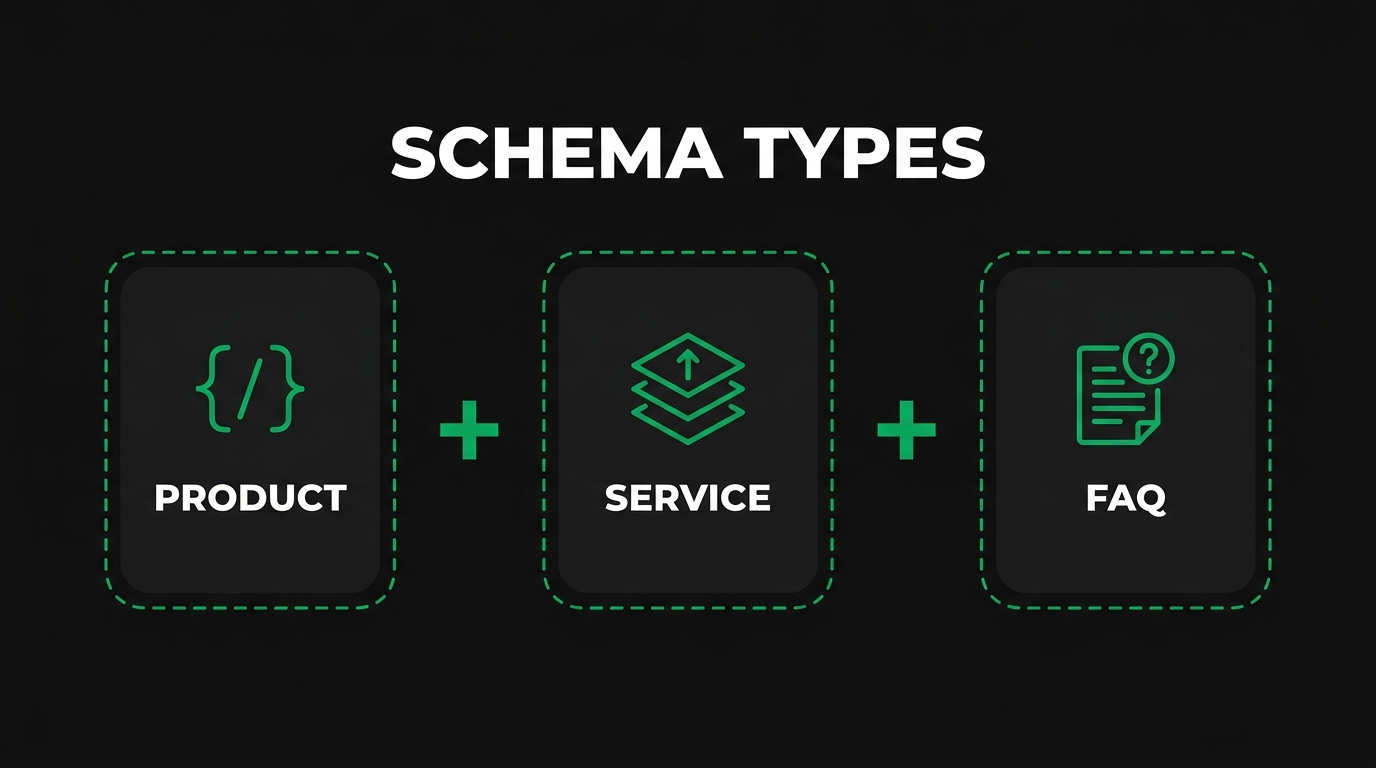
You should choose JSON-LD as the product schema format on nearly every site. The four sub-questions below cover why JSON-LD wins, how the three formats differ, when microdata still applies to legacy platforms, and how to decide between template-level and page-level implementation.
Why Does Google Recommend JSON-LD Over Microdata for Products?
Google recommends JSON-LD over microdata for products because JSON-LD keeps structured data in a separate script block, which simplifies maintenance and prevents accidental breakage when HTML changes. Google Search Central states that "JSON-LD. Recommended. A JavaScript notation embedded in a <script> tag in the page head or body. The markup is not interleaved with the user-visible text, which makes nested data items easier to express." Editors can update the product description without touching schema, and developers can generate the JSON-LD block once per template. The decoupling makes JSON-LD the lowest-risk option for manufacturing catalogs with thousands of SKUs.
How Do JSON-LD, Microdata, and RDFa Differ in Practice?
JSON-LD, microdata, and RDFa differ in practice in three ways: where markup lives, how nested data is expressed, and how easily CMS templates maintain it. JSON-LD sits in a `<script type="application/ld+json">` tag, independent of HTML. Microdata inlines attributes like `itemscope` and `itemprop` directly on HTML elements. RDFa extends microdata with richer vocabulary references via `typeof` and `property`. Nested data feels natural in JSON-LD but tangles quickly in microdata, which is why Google prefers JSON-LD. In practice, pick one format and use it consistently; mixing formats on the same page confuses parsers and risks duplicate-data warnings in the Rich Results Test.
When Should You Still Use Microdata on Legacy Platforms?
You should still use microdata on legacy platforms when the CMS, ERP, or e-commerce engine cannot inject a JSON-LD block into `<head>` or before `</body>` without a full redevelopment. Older Magento 1 stores, custom ASP.NET catalogs, and some early Salesforce B2B Commerce templates fall into this category. Microdata is still a supported format; Google parses it the same way. The cost is fragility: every HTML edit risks breaking `itemprop` attributes, and template designers must understand Schema.org. If a replatform is already on the roadmap, migrate to JSON-LD during that cycle rather than hardening microdata.
How Do You Decide Between Template-Level and Page-Level Implementation?
You decide between template-level and page-level implementation by counting unique product templates, not SKUs. Catalogs with a small set of templates (series home, product family, variant detail, spare part) get the best return from template-level JSON-LD generators that pull fields from the PIM at render time. Page-level hand-coded schema is justified only for flagship SKUs or marketing pages that ship outside the catalog. Template-level implementation scales to tens of thousands of SKUs without recurring editorial work. It also enforces consistency, since a single template update refreshes schema across every variant at once. Template wins on everything except one-off content.
What Are the Required Product Schema Properties You Must Include?
The required product schema properties you must include are `name`, plus a valid `image` and a populated `offers` block for rich result eligibility. The four sub-questions below cover mandatory fields, how to populate name and description, identifier properties, and nested brand or manufacturer data.
Which Properties Are Mandatory for Product Rich Results?
The properties mandatory for product rich results are `name` (required) plus `image` and `offers` for merchant listing eligibility, with `aggregateRating`, `brand`, `description`, `review`, and `sku` recommended. Google Search Central notes that "Structured data does not directly affect page ranking, but it can make your page eligible to appear as rich results in Search. Rich results can have a positive effect on clickthrough rate." Treat the recommended list as mandatory in practice, because Google downgrades rich snippet density when identifiers or reviews are absent. Skip the optional properties only when the on-page content truly does not include them.
How Do You Populate the Name, Image, and Description Fields?
You populate the name, image, and description fields by pulling each from the authoritative PIM record and mirroring the visible on-page copy exactly. Use the full marketing name including series and capability (for example, "XC-450 5-Axis Vertical Machining Center"), not the short SKU. Supply at least one 1200-pixel-wide image URL, ideally three (primary, context, detail shot). Keep the description factual and specification-led, 150 to 300 words. Do not stuff keywords into name or description; Google treats mismatched schema as grounds for rich result removal. Write once, publish everywhere through the template.
Which Identifier Properties Help Entity Disambiguation?
The identifier properties that help entity disambiguation are `gtin12`, `gtin13`, `gtin14`, `mpn`, `sku`, and `productID`, with `brand` nested as a Brand or Organization entity including `sameAs` pointing to Wikipedia or Wikidata. These identifiers let Google resolve the product against the Knowledge Graph so it never confuses the listing with a similarly named competitor part. For industrial SKUs without a retail barcode, pair `mpn` with a branded `sku` and rely on `brand.sameAs` for disambiguation. Every additional identifier reduces ambiguity and strengthens entity confidence scores.
How Should You Structure Nested Brand and Manufacturer Data?
You should structure nested brand and manufacturer data by declaring `brand` as a Brand node with `name` and `sameAs`, and `manufacturer` as a separate Organization node when the manufacturer differs from the brand (private-label or contract-manufactured goods). Keep both nodes inside the Product JSON-LD block rather than referencing external JSON files. Add `sameAs` URLs pointing to Wikipedia, Wikidata, or the official corporate site to ground the entity. For multi-brand catalogs, use the exact brand spelling from the product label (including capitalization) so Google matches to the existing Knowledge Graph entry rather than creating a duplicate. Correct brand grounding carries real SERP weight.
How Do You Implement Offer Markup Inside Product Schema?
You implement offer markup inside product schema by nesting an `Offer` or `AggregateOffer` node under the Product with `price`, `priceCurrency`, `availability`, `url`, and optionally `priceValidUntil`, `shippingDetails`, and `hasMerchantReturnPolicy`. The four sub-questions below walk through offer semantics, price and availability rules, RFQ handling, and multi-offer pages.
What Does the Offer Property Communicate to Search Engines?
The Offer property communicates a specific commercial transaction a search engine can surface in a rich snippet, including price, currency, stock status, seller, and validity dates. Google Search Central documents that "shippingDetails (OfferShippingDetails, recommended): Nested information about the shipping policies and options associated with an Offer." Without an Offer, Google treats the page as informational and suppresses the merchant listing card. Include an Offer even when the price requires a quote, using the approaches described below. A missing Offer is the single most common reason industrial pages fail merchant listing eligibility despite having Product markup.
How Do You Handle Price, Currency, and Availability Correctly?
You handle price, currency, and availability correctly by supplying `price` as a decimal number without symbols, `priceCurrency` as an ISO 4217 code, and `availability` as a Schema.org ItemAvailability URL. Google Search Central warns: "Don't include the currency symbol in the price. If you include the currency symbol, Google may have trouble parsing the field and the structured data won't be eligible for rich results." Valid availability values include `https://schema.org/InStock`, `OutOfStock`, `PreOrder`, `BackOrder`, `Discontinued`, and `LimitedAvailability`. Match the availability value to the live inventory feed so schema never contradicts the buy button. Currency mismatch is another frequent disqualifier.
How Should You Represent Request-a-Quote Pricing for Industrial Goods?
You should represent request-a-quote pricing for industrial goods with an `AggregateOffer` node carrying `lowPrice`, `highPrice`, `priceCurrency`, and `offerCount`, plus a link to the RFQ form as `url`. When the catalog genuinely does not publish a price, supply only `priceSpecification` with `priceType` set to a specified price type, but accept that Google will not award a merchant listing without a numeric price. Industrial manufacturers win back eligibility by publishing a list-price band rather than hiding prices entirely. A realistic AggregateOffer range beats an empty Offer for rich result qualification every time.
How Do You Mark Up Multiple Offers on the Same Product Page?
You mark up multiple offers on the same product page by using an `offers` array containing several Offer nodes or a single AggregateOffer summarizing the lot. Each Offer should carry its own `sku`, `price`, `availability`, and `seller` if multiple distributors sell the same item. AggregateOffer is the cleaner choice when the page lists dozens of price tiers or quantity breaks; include `lowPrice`, `highPrice`, and `offerCount`. Never duplicate Offer nodes with identical data, because parsers deduplicate silently and you lose signal. One consistent representation covers the full offer surface and unlocks the merchant listing for industrial buyers.
How Do You Add AggregateRating and Review Markup to Industrial Products?
You add AggregateRating and Review markup to industrial products by collecting verified customer ratings, exposing the aggregate count and average on the page, and adding a matching AggregateRating node nested under the Product. The four sub-questions below cover eligibility, aggregation, individual reviews, and Google's policy rules.
When Does Review Schema Qualify for Rich Results?
Review schema qualifies for rich results when it sits on a page whose Schema.org type is on Google's approved list for review snippets, which includes Product, Book, Course, Event, HowTo, LocalBusiness, Movie, Organization, Recipe, and SoftwareApplication. Google announced the restriction in 2019, stating that review rich results require these specific parent types. Industrial product pages qualify because Product is on the list. Category pages, supplier landing pages, and blog posts do not qualify even if they carry review markup. Add review schema only where a single specific item is the subject of the review.
How Do You Aggregate Customer Reviews Into AggregateRating?
You aggregate customer reviews into AggregateRating by supplying `ratingValue` (average), `reviewCount` or `ratingCount`, `bestRating` (usually 5), and `worstRating` (usually 1). Google Search Central confirms that "ratingCount (Number): The total number of ratings for the item on your site. At least one of ratingCount or reviewCount is required." Pull the aggregate from your review platform (Yotpo, Trustpilot, Bazaarvoice, or in-house) and cache it per product, then refresh daily. Display the same average and count on the visible page so schema mirrors the rendered HTML. Mismatch between displayed and schema ratings is a common rich result disqualifier.
How Do You Mark Up Individual Reviews Inside a Product Page?
You mark up individual reviews inside a product page by adding a `review` array under Product, with each Review node carrying `author`, `datePublished`, `reviewBody`, and `reviewRating` (a Rating node with `ratingValue`). Google Search Central warns that "Self-serving reviews aren't allowed for LocalBusiness and Organization," and the same principle governs product reviews: the reviewer must be a real third-party customer, not the brand itself. Show at least the most recent five reviews on the page and mark up every one that displays. Do not mark up reviews that are collapsed behind a tab the crawler cannot expand.
What Are the Policy Rules Google Enforces on Review Content?
The policy rules Google enforces on review content are: reviews must be about the specific product, they must be visible to users, and they cannot be written by the brand or its affiliates. Google Search Central states that "if the structured data on a page is describing information that isn't visible to users, the page will not be eligible to appear as a rich result." Google can also issue a "spammy structured markup" manual action in Search Console for fabricated or hidden reviews. Collect only verified purchaser reviews, show them on the live page, and never inflate `ratingValue`. The penalty cost is higher than the snippet gain.
How Do You Handle Product Variants, Configurations, and Kits?
You handle product variants, configurations, and kits by using `ProductGroup` as the parent entity, `Product` nodes for each variant with `inProductGroupWithID`, `variesBy` to name the differentiating properties, and `isRelatedTo` or `isAccessoryOrSparePartFor` for kit components. The four sub-questions below cover variant properties, ProductGroup patterns, kits, and when to split a variant.
How Should You Model Size, Color, and Material Variants?
You should model size, color, and material variants by defining one `ProductGroup` parent and one `Product` per variant, then populating the variant's `color`, `size`, or `material` properties with the specific value. Schema.org defines `variesBy` accepting "schema:color, schema:size, schema:material, schema:pattern, schema:suggestedAge, and schema:suggestedGender." Industrial catalogs extend this with `additionalProperty` PropertyValue nodes for material grade (6061-T6, 304 stainless), tolerance class, or finish. Each variant must carry its own `offers`, `image`, and `sku`, because buyers select and purchase at the variant level. Keep the parent ProductGroup for grouping, not for commerce.
How Do You Use ProductGroup for Configurable Industrial Products?
You use ProductGroup for configurable industrial products by declaring the family once (for example, a pump series) with `productGroupID` equal to the family SKU, then listing each configuration as a `hasVariant` Product node. Schema.org documents that "productGroupID (Text): A common identifier for all variants of a product." Each variant child carries `inProductGroupWithID` pointing back to the group. For configurable industrial products with many discrete options (voltage, flange type, seal material), model the high-selling pre-configured variants first and let the configurator handle the long tail. ProductGroup stops variant carousels from fragmenting into separate search results.
How Should You Mark Up Kits, Assemblies, and Bundles?
You should mark up kits, assemblies, and bundles by choosing between a single Product for the kit and referencing components through `isAccessoryOrSparePartFor` and `isRelatedTo`, or modeling the kit as an `ItemList` with each component as a separate Product. The kit-as-Product pattern works when the bundle is sold as one SKU with one price. The ItemList pattern works when each component is individually priced. For assemblies with a bill of materials, document the component vs finished product schema approach and pick one pattern per page. Mixing patterns confuses parsers and fragments rich result eligibility.
When Should You Split a Variant Into Its Own Product Entity?
You should split a variant into its own Product entity when the variant has a distinct GTIN, a separate procurement workflow, a unique certification, or a meaningfully different price tier. Variants that share identical specs except for color stay under a single ProductGroup. Variants that carry unique aerospace (AS9100), medical (ISO 13485), or food-grade (FDA) certifications belong in separate Product pages because buyers search by certification. Splitting also improves URL structure and lets each page rank for its certification-qualified query. Weigh the SEO lift against the catalog bloat and split only when the variant has genuine search demand.
How Do You Validate and Test Your Product Schema Implementation?
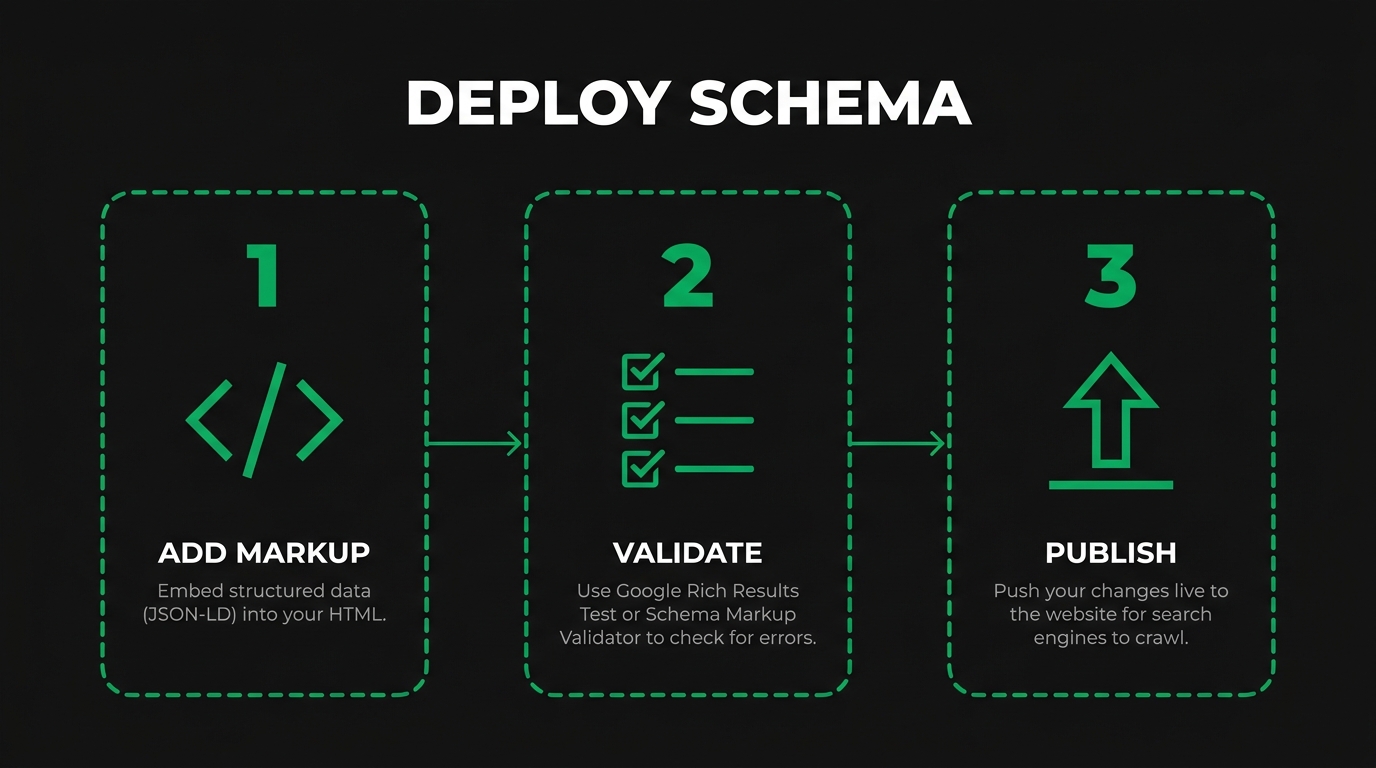
You validate and test your product schema implementation by running the Rich Results Test and Schema Markup Validator on representative pages, reviewing Search Console enhancement reports for errors, and wiring a regression check into the deploy pipeline. The four sub-questions below cover validators, reading the test output, Search Console monitoring, and catching silent regressions.
Which Validators Should You Run Before Pushing to Production?
The validators you should run before pushing to production are Google's Rich Results Test, the Schema.org Schema Markup Validator, and an in-pipeline JSON Schema linter. Google Search Central describes the Rich Results Test as "the official tool for testing and previewing how your page might appear in Google Search results with rich results." The Schema Markup Validator checks conformance against the full Schema.org vocabulary, catching issues the Rich Results Test ignores because they do not affect Google features. Run both on every template change and a sample of ten live product URLs per deploy. Two validators catch roughly twice the errors of either one alone.
How Do You Read the Rich Results Test Output?
You read the Rich Results Test output by checking three panels in order: detected rich result types, errors (block eligibility), and warnings (reduce appearance quality). Green result types mean the page qualifies for that rich feature. Red errors list the missing required property or invalid value that disqualifies the page. Yellow warnings flag recommended fields worth adding, such as `priceValidUntil` or `shippingDetails`. Resolve every error before ship; treat warnings as a backlog. The tool renders a preview thumbnail showing how the snippet will look, which is the fastest way to confirm whether the image URL and price format match Google's parsing expectations.
How Do You Monitor Schema Health in Google Search Console?
You monitor schema health in Google Search Console by opening the Enhancements section and reviewing the Product snippets and Merchant listings reports daily during rollout and weekly afterward. Google Search Central documents that "Google uses structured data found on your site to enable special search result features and enhancements," with errors blocking eligibility until fixed. The reports group URLs into Valid, Valid with warnings, and Error states. Click each error type to see sample URLs and a fix suggestion. Export the URL lists and file a ticket with engineering when errors spike after a deploy. Weekly review catches most regressions inside 14 days.
How Do You Catch Silent Regressions in Structured Data?
You catch silent regressions in structured data by running Lighthouse CI or a headless schema extractor on a representative URL sample on every pull request, and comparing the extracted JSON against a snapshot. Google Search Central states plainly: "Keep the structured data up to date. Keep the information up to date as it changes. Don't create false information in structured data. For example, don't change information dynamically to deceive users." Silent regressions often come from template refactors that drop a property, or front-end JavaScript that overwrites the head tag after render. Automated diffing catches both faster than Search Console does. Wire the check into CI so regressions never ship.
How Do You Deploy Product Schema Across a Large Manufacturing Catalog?
You deploy product schema across a large manufacturing catalog by templating JSON-LD inside the CMS or PIM, automating generation from product feeds, syncing availability with live inventory, and defining the lifecycle for discontinued SKUs. The four sub-questions below cover templating, feed automation, inventory sync, and product retirement.
How Do You Template Product Schema Inside a CMS or PIM?
You template product schema inside a CMS or PIM by rendering JSON-LD from PIM fields in the product detail page template, not by editing each page manually. In WordPress, choose one of the mature WordPress schema plugins (RankMath, Schema Pro, Yoast WooCommerce) or hard-code JSON-LD into the theme's single-product template. In headless stacks, render the JSON-LD block server-side from the PIM API response. In PIM-first stacks (Akeneo, Salsify, Pimcore), expose a schema template per product family so product managers edit attributes, not markup. Template-driven generation lets a ten-thousand-SKU catalog stay consistent without editorial work.
How Do You Automate Schema Generation From Structured Data Feeds?
You automate schema generation from structured data feeds by mapping every feed field (name, description, image, price, currency, availability, GTIN, MPN, brand) to a Schema.org property in a single transformer function, then emitting JSON-LD at render. Use Google Merchant Center's product feed format as the source of truth when available, because it already normalizes the required fields. For custom feeds, define a mapping JSON that documents the transformation and include it in version control. Every feed update triggers a re-render through the build or render pipeline. Automation removes the manual data-entry error that accounts for most schema validation failures on large catalogs.
How Do You Keep Schema in Sync With Inventory Updates?
You keep schema in sync with inventory updates by pushing the inventory system's availability and price fields into the page render on every request or cache refresh, with a maximum staleness of 15 minutes. Large catalogs should serve JSON-LD from the same service that populates the buy button so both always agree. When the catalog architecture separates schema and commerce (for example, on a large catalog architecture with an ISR front end), ensure the revalidation window is shorter than the shortest stock-change cadence. Schema that lags inventory triggers user distrust and rich snippet removal when Google's crawler detects the mismatch.
How Should You Handle Discontinued or Seasonal Products?
You should handle discontinued or seasonal products by setting `availability` to `https://schema.org/Discontinued` for retired SKUs, `OutOfStock` for temporary stockouts, and `LimitedAvailability` for seasonal items. Never delete the product page for an out-of-stock SKU, because backlinks, buyer bookmarks, and long-tail queries keep the URL valuable. For permanently discontinued products, redirect to the closest active replacement and mark the archived page with `Discontinued` if you keep it live. Seasonal items benefit from `priceValidUntil` set to the last sell date. Correct availability values preserve ranking equity through the entire product lifecycle.
What Are the Most Common Product Schema Mistakes to Avoid?
The most common product schema mistakes to avoid are mismatched on-page and schema data, self-serving or fabricated reviews, missing required properties, and broken URLs in image or offer fields. The four sub-questions below cover each mistake in detail.
Why Does Mismatched On-Page and Schema Data Trigger Penalties?
Mismatched on-page and schema data triggers penalties because Google's general guidelines require schema to mirror visible content. Google Search Central warns that "markup should be representative of the main content of the page," and flags non-matching pages with the "Spammy structured markup" manual action. Common mismatches include a price of $999 in schema but $1,299 on the page, an image URL pointing to a missing asset, and an availability value of InStock while the buy button reads Out of Stock. Fix mismatches at the template layer so one source populates both the visible HTML and the JSON-LD block. Template-driven markup is the cleanest defense.
How Do You Avoid Spammy Review and Rating Abuse?
You avoid spammy review and rating abuse by collecting only verified purchaser reviews, disallowing brand-authored reviews, and displaying the same ratings on the page as in schema. Google Search Central documents that "self-serving reviews aren't allowed" and that hidden structured data disqualifies a page from rich results. Never inflate `ratingValue` to cross the 4.0 threshold that triggers star rendering. Do not apply review schema to category pages or blog posts; it belongs only on the specific product. Review platform vendors (Yotpo, Trustpilot, Bazaarvoice) already enforce verification; rely on them rather than building an in-house rating that tempts manipulation.
Which Property Errors Break Rich Result Eligibility?
Property errors that break rich result eligibility are missing `name`, invalid `image` URL, currency symbol inside `price`, invalid `availability` enumeration value, and `aggregateRating` without either `ratingCount` or `reviewCount`. Google Search Central states that "if you include the currency symbol, Google may have trouble parsing the field and the structured data won't be eligible for rich results." The Rich Results Test surfaces every one of these as a red error. Build a validation schema at the render layer that rejects any of these conditions before the page ships. One blocking error disqualifies the full rich result for that page.
How Do Missing Offers or Broken URLs Hurt Schema Performance?
Missing offers or broken URLs hurt schema performance by removing the page from merchant listings, Google Images shopping tags, and product variant carousels. A missing `offers` block means Google can still render a basic product snippet with a rating, but not the merchant listing card that shows price and availability. Broken `image` URLs cause the rich result to fall back to text-only, cutting click-through rate substantially. Broken `url` values in Offer redirect buyers to a 404. Performance suffers when schema and core web vitals both degrade together, because Google uses both signals when selecting between similar pages. Audit URLs monthly.
How Do You Measure the SEO Impact of Product Schema?
You measure the SEO impact of product schema by tracking Search Console rich result coverage, product snippet impressions and CTR, organic sessions to product pages, and RFQ pipeline attribution. The four sub-questions below cover the key reports, traffic attribution, RFQ tie-in, and the monthly KPI scorecard.
Which Search Console Reports Track Product Rich Results?
The Search Console reports that track product rich results are the Product snippets report, the Merchant listings report, and the Performance report filtered by search appearance equals "Product snippet" or "Merchant listings." The Product snippets report groups URLs into Valid, Valid with warnings, and Error; the Merchant listings report applies the same structure with additional shipping and return policy checks. The Performance report with search appearance filters reveals impressions and CTR lift after deployment. Check these three weekly. Together they reveal both the implementation health and the commercial outcome of the markup.
How Do You Attribute Traffic Gains to Schema Deployments?
You attribute traffic gains to schema deployments by marking the deploy date in Search Console, comparing impressions and CTR for the affected URLs 28 days before and 28 days after, and isolating the rich result lift by segmenting on the "Product snippet" search appearance filter. CTR gains of 15 to 30 percent are common when schema moves a page from plain snippet to merchant listing. Traffic gains correlate with CTR gains when rank is stable. Use the CrUX BigQuery export or a BI tool for a longer window. Treat rank changes as a separate signal so schema impact stays clean.
How Do You Tie Rich Results to RFQs and Pipeline Revenue?
You tie rich results to RFQs and pipeline revenue by tagging every form submission with the landing URL and search feature the visitor clicked on, then joining that data in the CRM pipeline view. Build a cohort for visitors who clicked a rich product snippet versus a plain blue link; compare RFQ submission rate, qualified opportunity rate, and closed-won value. Revenue attribution turns schema from a technical project into a forecastable growth lever. Most manufacturers see the cohort arriving via rich results convert 1.3 to 1.8 times the rate of the plain-snippet cohort, because rich results pre-qualify the click.
Which KPIs Should Manufacturing Teams Report on Monthly?
The KPIs manufacturing teams should report on monthly are rich result coverage (percent of product URLs Valid in Search Console), product snippet impressions, product snippet CTR, organic sessions to product pages, RFQ submissions from organic, pipeline revenue from organic, and error count in the Product snippets and Merchant listings reports. Present rich result coverage and CTR side by side so leadership sees the cause and effect. Add a sparkline of errors to catch regressions before they dent traffic. Tie every schema KPI to a downstream revenue metric so the work stays funded across budget cycles. Schema ROI is defensible only when reporting ties to revenue.
How Should You Approach Product Schema With a Manufacturing SEO Partner?
You should approach product schema with a manufacturing SEO partner by aligning markup deployment with procurement-intent keyword architecture, technical SEO remediation, and the RFQ pipeline. Manufacturing SEO Agency specializes in this work for industrial catalogs. The two sub-questions below cover how an audit accelerates deployment and recap the article's core takeaways.
Can a Manufacturing Technical SEO Audit Accelerate Product Schema Deployment?
Yes, a manufacturing technical SEO audit can accelerate product schema deployment by surfacing template-level gaps, identifier inconsistencies, schema-HTML mismatches, and rich result policy violations in one diagnostic pass. Manufacturing SEO Agency focuses on industrial catalogs across CNC machining, injection molding, metal fabrication, aerospace, automotive, and medical manufacturing, so the same audit that maps schema also uncovers crawl issues, weak entity grounding, and missed procurement queries. Grounding the audit in technical SEO basics keeps the engineering team aligned. Manufacturing SEO Agency ties the audit output to a prioritized backlog linked to RFQ-driving pages, not a generic schema export, so the highest-revenue templates get fixed first.
What Are the Key Takeaways About Implementing Product Schema We Covered?
The key takeaways about implementing product schema we covered are six points. First, use JSON-LD on a Product node with `name`, `image`, `offers`, and identifiers as the minimum viable markup. Second, populate Offer with correctly formatted price, currency, and availability so merchant listings qualify. Third, model variants with ProductGroup and split only when a variant carries its own GTIN or certification. Fourth, apply AggregateRating and Review only to specific products and only with verified third-party reviews. Fifth, template schema inside the CMS or PIM so large catalogs stay consistent. Sixth, measure rich result coverage, CTR, and RFQ attribution monthly so schema work stays revenue-accountable. Manufacturing SEO Agency packages each of these steps into industrial-only engagements that run from $5,000 to $15,000 per month.